Efekty Tańczącego Bobasa
Zmień zdjęcia w hitowe filmy. Użyj narzędzia Somake z efektami Baby Dance i Kling 2.6, aby tworzyć urocze treści na TikToka i Instagrama.
Twórz urocze i fajne filmiki z tańczącym bobasem dzięki Kling 2.6 Motion Control
Twórz hitowe treści do mediów społecznościowych, ożywiając statyczne obrazy postaci za pomocą ruchu z prawdziwych nagrań wideo. To narzędzie wykorzystuje zaawansowaną technologię transferu ruchu, aby połączyć wygląd ze zdjęcia z dynamicznym ruchem z wideo referencyjnego.
Jak stworzyć filmik z tańczącym bobasem
Cały proces sprowadza się do dwóch prostych kroków widocznych w interfejsie.
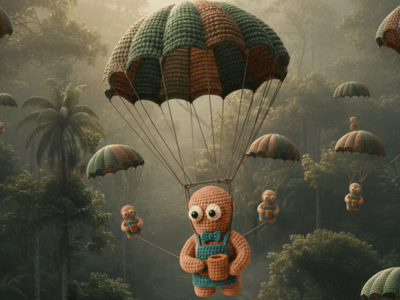
Wgraj zdjęcie postaci: Wybierz wyraźne zdjęcie wysokiej jakości (np. bobasa, zwierzaka lub awatara).
Wgraj wideo z ruchem: Prześlij krótki klip wideo zawierający wybrany taniec lub czynność. AI przeanalizuje ruch szkieletowy w tym filmie (np. trend taneczny z TikToka) i nałoży go na Twoje statyczne zdjęcie.
Kluczowe funkcje systemu sterowania ruchem
Silnik sterowania ruchem Kling 2.6
Sercem narzędzia do animacji Somake jest architektura Kling 2.6. Ten konkretny model został zoptymalizowany pod kątem precyzyjnego śledzenia ruchu, co gwarantuje, że skomplikowane figury taneczne są dokładnie odwzorowane na obrazie docelowym bez efektu "pływania", często spotykanego w starszych narzędziach AI. Narzędzie zachowuje fizykę ruchu, respektując przy tym proporcje oryginalnego obrazu.
Transfer stylu między scenariuszami
Narzędzie pozwala na tworzenie ciekawych kontrastów stylistycznych. Jak widać w interfejsie, możesz wziąć letnie zdjęcie "bobasa na plaży" i nałożyć na nie ruch z zimowego filmiku z "bożonarodzeniowym tańcem".
AI oddziela dane o ruchu od danych o stylu, co pozwala na dowolne mieszanie scenariuszy — płynne umieszczenie letniej postaci w zimowym trendzie tanecznym.
Fotorealistyczna spójność postaci
Narzędzie to stawia na spójność postaci, dbając o to, aby "uroczy bobas" z Twojego zdjęcia źródłowego zachował swoje rysy twarzy i detale stroju przez całą animację.
AI inteligentnie uzupełnia brakujące informacje (np. tył koszulki), które nie były widoczne na oryginalnym zdjęciu 2D.
Szybki proces renderowania
Zaprojektowany z myślą o błyskawicznie zmieniających się trendach wiralowych, silnik przetwarzania skraca czas oczekiwania do minimum. Choć wysokiej jakości transfer ruchu wymaga złożonych obliczeń, infrastruktura Somake optymalizuje te zadania, aby szybko dostarczać wyniki gotowe do udostępnienia, pozwalając twórcom na sprawne testowanie różnych kombinacji tanecznych.
Dlaczego twórcy wybierają Somake
Design przyjazny dla użytkownika
Interfejs nie wymaga technicznej wiedzy o modelowaniu 3D ani oprogramowaniu do animacji; jeśli potrafisz wgrać plik, potrafisz też animować.
Bezpieczeństwo i prywatność
Priorytetem jest dla nas bezpieczeństwo zdjęć przesyłanych przez użytkowników. Dbamy o to, aby dane były przetwarzane bezpiecznie i nie były wykorzystywane do trenowania modeli bez Twojej zgody.
Wysoka rozdzielczość wyjściowa
W przeciwieństwie do wielu aplikacji mobilnych, które kompresują jakość, Somake stara się zachować wierność oryginalnemu zdjęciu w finalnym filmie.