Somake
Toggle sidebar
About Privacy Terms

Image to Video Generator

Transform your images into dynamic, professional-grade videos in minutes with our AI-powered Image-to-Video Generator. Perfect for content creators, marketers, and educators!

Examples

Precise movements via Kling 2.6 Motion Control.

Learn more
Image to Video
Image to Video
Text to Video
Text to Video
Model
Veo 3.1 Fast

Accelerated frontier model with audio

1m
180
Veo 3.1

More realistic, more immersive, higher quality

2m
480
Sora 2

More physically accurate, realistic

2m
80
Sora 2 Pro

More physically accurate, realistic

3m
240
Seedance 1.5 Pro

Immersive audiovisuals and studio-grade storytelling

1m
50
LTX 2 Fast

4K video with audio in seconds

40s
60
LTX 2 Pro

Enhanced detail and consistent motion

1m
90
Grok Imagine

Realistic action and steady transitions

2m
60
New
Wan 2.6

Smart shot scheduling for multi-shot storytelling

2m
100
Wan 2.5

High-Quality Video with Integrated Audio

2m
100
Wan 2.2

Professional quality and budget friendly

1m
100
Wan 2.2 Turbo

Fast and really affordable

40s
20
Kling 3.0

Pro visuals, fluid movement, native audio, and custom element support

5m
250
New
Kling O1

First "Reasoning" Video Model

3m
110
Kling 2.6

Fluid motion with native audio generation

3m
150
Kling 2.5 Turbo

Unmatched Dynamic Precision and Stylistic Fidelity

2m
75
Kling 2.1 Standard

A cost-efficient endpoint for the Kling 2.1

1m
50
Kling 2.1 Pro

Perfect for cinematic storytelling

2m
100
Hailuo 2.3 Fast

Advanced fast image-to-video generation model

2m
40
Hailuo 2.3

Cinematic realism & professional-grade visual fidelity

3m
60
Vidu Q3

Smooth audio, high-end action, and intelligent scene shifts

2m
150
New
Seedance 1.0 Lite

Quality creation on any budget

1m
60
Seedance 1.0 Pro

Advanced features in pro level

2m
90
PixVerse v5.5

Built-in audio,multi-shot storytelling

1m
75
Midjourney

Artistically rich and high-quality

1m30s
100
First Frame
Edit Image
Edit preview
Drag to reposition
Zoom
1x 3x
Aspect Ratio
1:2 2:1
First Frame
Edit Image
Edit preview
Drag to reposition
Zoom
1x 3x
Aspect Ratio
1:2 2:1
Last Frame
Edit Image
Edit preview
Drag to reposition
Zoom
1x 3x
Aspect Ratio
1:2 2:1
Audio Upload
Uploading...
Drag & drop your audio here, or click to browse
Prompt
Prompt actions must fit the selected duration to avoid generation failure. Credits for failed attempts are non-refundable.
/2000
Edit Prompt
/2000
Video Upload
Drag & drop your video here, or click to browse
Elements
Edit Image
Edit preview
Drag to reposition
Zoom
1x 3x
Aspect Ratio
1:2 2:1
Settings
Auto Fix
Camera Fixed
Whether to fix the camera position
Mode
Enable Safety Checker
Negative Prompt
Expand Prompt
Seed
Number of Frames
17
Frames Per Second
4
Number of Inference Steps
1
Acceleration
Guidance Scale (CFG)
0
Shift
Video Quality
CFG
Prompt Optimizer
Style
Thinking Type
Motion
Quality
Stylize
0
Chaos
0
Weird
0
Duration
Duration
3
Duration
Resolution
Aspect Ratio
Generate Audio
Frames per Second
Multi Shots

No history found

Image to Video Generator: Turn Images Into Video with AI

Turn any static image into cinematic video content using the world's most advanced AI models. Somake is the ultimate AI video generator that lets you upload a photo, describe the motion, and generate professional-quality videos in minutes—no video editing experience required.

Whether you need photorealistic product shots, social media clips, or stylized animations, our unified platform gives you access to the best tools for the job.

How to Generate Videos from Images in 5 Steps

1. Select Model: Pick from models based on your needs (Speed vs. Realism).

2. Upload Image: Upload your source photo. Optional: Add a "Last Frame" reference for precise ending control (supported on select models).

3. Enter Prompt: Describe the motion (Subject + Action). Use AI Improve to optimize your prompt instantly.

4. Settings: Choose aspect ratio and toggle Audio Generation on/off. Output is up to 1080p.

5. Generate: Hit Generate to create your video

Why Choose Somake as Your Unified AI Video Platform?

Native Audio Generation

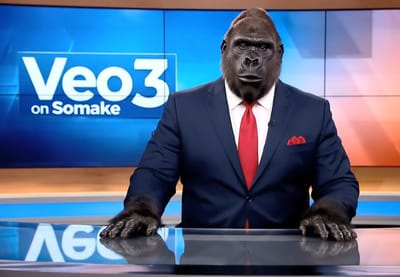
Unlike many other tools, models like Veo 3.1 and Sora 2 understand the acoustics of your scene. They generate dialogue, ambient sound effects (SFX), and music that automatically syncs with the visuals and motion of your video.

First and Last Frame Control

Define exactly how your video begins and ends. By uploading reference images for both the first and last frames, you give the AI a clear trajectory. This is particularly useful for product reveals or transformation sequences where the final visual state is crucial.
Feature image

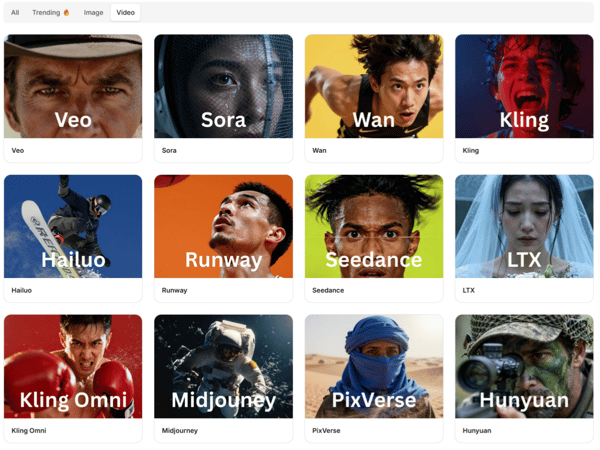
Access 40+ Leading AI Video Models

Stop juggling multiple subscriptions. Compare 40+ top models side-by-side on one platform.

  • For Speed: Use Wan 2.2 or Hailuo for fast generation.

  • For Realism: Veo 3 and Sora 2 deliver photorealistic physics.

  • For Creativity: Experiment with Runway and Midjourney.

Explore All 40+ AI Models

Use Cases: From Social Media to Cinema

Social Media Content

Power your TikTok creatives, YouTube automation, and Instagram Reels. Use models like Kling 2.6 to produce high-volume content. Easily regenerate the same source image in different aspect ratios for various platforms.

Marketing & Product Videos

Transform simple product photography into dynamic motion content. Show features, demonstrate scale, or create sleek logo animations to give your brand a modern edge. Marketers can prototype video concepts quickly before committing to full production.

Creative Storytelling & Cinematics

For filmmakers and animators, Google Veo 3.1 and Sora 2 Pro provide the fidelity needed for narrative projects. Create short film sequences, music videos, or animated scenes with a complete acoustic field.
FAQ

For cost-effective output: Wan 2.2 Turbo or Hailuo 2.3 Fast.

For cinematic realism with audio: Veo 3.1 or Sora 2.

For detailed motion: Kling 2.6 Pro.

For artistic style: Midjourney or PixVerse v5.5.

No. Native audio (sound synced to video) is currently supported by Veo 3.1, Veo 3, Sora 2, Seedance 1.5, PixVerse v5.5 and LTX 2.

Yes. You can specify camera moves (pan, zoom, tilt) in your prompt.

Somake
Forgot Password Create an account Welcome Back Start creating in seconds Welcome to Somake
Enter your email to receive password reset instructions Sign in to your account to continue creating. Sign up free and get: Sign in with Google to claim your credits and start creating for free!
Free credits to start Access 300+ AI tools Download in HD quality
OR
Remember me
Remember your password?

Join 500,000+ creators

By logging in, you agree to our Terms of Service and Privacy Policy .