Medya Röportaj Efektleri
Fotoğraflarınızı saniyeler içinde profesyonel medya röportajlarına dönüştürün. Sosyal medya ve PR duyuruları için mükemmel sonuçlar Somake ile elinizin altında.
Fotoğraflardan Gerçekçi Basın Görüntüleri Hazırlayın
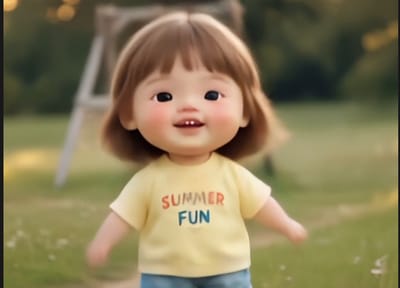
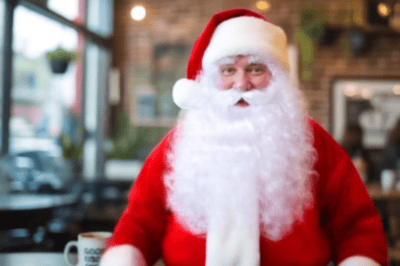
Medya Röportaj Efektleri aracı, insan veya hayvanların statik portrelerini dinamik video kliplere dönüştürür. Gelişmiş görselden videoya (image-to-video) teknolojisini kullanarak, otantik bir basın ordusu ortamı simüle etmek için otomatik olarak mikrofonlar, kamera flaşları ve hafif hareketler ekler.
Öne Çıkan Özellikler
Gerçekçi Mikrofon Dizilimleri
Bu araç, gerçek dünyadaki basın toplantılarını veya kırmızı halı röportajlarını taklit ederek, öznenin ağzına yakın bir yere akıllıca birden fazla mikrofon yerleştirir. Yerleşim, doğru perspektifi korumak için kaynak görüntüdeki öznenin duruşuna göre otomatik olarak ayarlanır.
Hafif Kamera Hareketleri
Statik görüntüler, nazik ve elde çekim tarzındaki kamera hareketleriyle hayat bulur. Bu hafif kayma hareketi, çıktının sabit bir fotoğraftan ziyade o an yakalanmış canlı bir video görüntüsü gibi hissedilmesini sağlayarak gerçekçiliği önemli ölçüde artırır.
Portreler ve Vahşi Yaşam İçin Optimize Edildi
Yapay zeka modeli, hem insanlarda hem de hayvanlarda yüz yapılarını tanımak üzere özel olarak eğitilmiştir. Bu sayede özneler, eklenen video öğeleri arasında bozulma olmadan doğru bir şekilde işlenir; böylece araç kurumsal vesikalık fotoğraflarda olduğu kadar evcil hayvan fotoğraflarında da aynı derecede etkilidir.
Sosyal Medya Hikayelerinizi Güçlendirin
İçerik üreticileri bu efekti, sıradan paylaşımlarına ağırlık katmak veya satirik bir haber açısı kazandırmak için kullanabilirler. Standart bir özçekimi dramatik bir basın açıklaması videosuna dönüştürmek, genellikle televizyon haberlerine ayrılan bir formatla izleyicinin dikkatini çeker ve etkileşimi artırır.
Kurumsal İletişim ve PR
Şirket içi bültenler veya hızlı sosyal medya duyuruları için ekipler, sadece mevcut vesikalık fotoğrafları kullanarak yöneticilerin "röportaj" görüntülerini hızla oluşturabilir. Gerçek bir video ekibinin zamanına veya maliyetine ihtiyaç duymadan, alıntılar veya şirket güncellemeleri için profesyonel bir yayın havası sağlar.
Yaratıcı Projeler ve Eğlence
Bu araç, sevilen bir evcil hayvana yeni bir oyuncağı duyurması için "basın toplantısı" düzenlemek gibi eğlenceli yaratıcı projeler için son derece etkilidir. Komedi içeriklerine, memlere veya dijital anlatılardaki karakter tanıtımlarına dramatik bir hava katar.
Profesyoneller Neden Somake'i Seçiyor?
Sezgisel Kullanıcı Arayüzü
Yaratıcı profesyoneller için tasarlandı, işlem yapmak için sıfır kodlama bilgisi gerektirir.
Tutarlı Çıktı Kalitesi
Güvenilir üretim süreci, daha az başarısız denemeyle kullanılabilir klipler elde etmenizi sağlar.
Ölçeklenebilir İçerik Üretimi
Tek bir fotoğraf çekiminden, videoyu yeniden çekmekten çok daha hızlı bir şekilde birden fazla video varyasyonu oluşturun.