Midjourney
Somake ile Midjourney V7 kullanarak yapay zekanın gücünü keşfedin. 2K HD çıktı ve hızlı işlem sunan Midjourney V8 alfa yayında — Somake entegrasyonu çok yakında. Hemen ücretsiz deneyin.
Midjourney Yapay Zeka Oluşturucu
Midjourney, doğal dildeki komutları (prompt) yüksek kaliteli görsel sanat eserlerine dönüştüren, bağımsız bir araştırma laboratuvarı tarafından geliştirilmiş bir metinden görsele platformudur. Kendine özgü estetik anlayışıyla tanınan Midjourney; olağanüstü ruh hali, atmosfer ve kompozisyon uyumuna sahip, sanat yönetmenliğinden geçmiş gibi duran nefes kesici görseller yaratma konusunda uzmandır.
Sadece talimatları izlemeye odaklanan kelimesi kelimesine çalışan oluşturucuların aksine Midjourney, açıklamalarınızı sanatsal bir bakış açısıyla yorumlar; bu da genellikle basit bir komut çalıştırmaktan ziyade, yetenekli bir dijital sanatçıyla iş birliği yapıyormuşsunuz hissi veren sonuçlar üretmesini sağlar.
Somake Üzerindeki Mevcut Versiyon: V7 — Sol panel üzerinden eski versiyonlara da erişebilirsiniz.
V8 Alfa Şimdi Yayında: Midjourney, tüm aboneler için V8'i alpha.midjourney.com adresinde alfa olarak yayınladı. Somake entegrasyonu çok yakında.
Midjourney V8: Yenilikler Neler?
Midjourney V8 şu anda alfa test aşamasında. İşte erken erişimden ilk izlenimler:
Neler Geliştirildi?
Daha Hızlı Oluşturma: V7'ye kıyasla gözle görülür şekilde daha hızlı görsel çıktısı
2K HD Modu: Yüksek kaliteli dışa aktarımlar için yeni yerel 2K çözünürlük seçeneği
Gelişmiş Fotorealizm: Gerçekçi stiller iyileştirildi; daha ikna edici cilt dokuları ve ışıklandırma sunuyor
Zengin Yaratıcılık: V8, Midjourney'nin sanatsal ve hayal gücü yüksek çıktılar konusundaki gücünü sürdürüyor
Hala Geliştirilmesi Gerekenler
El Doğruluğu: Ellerdeki anatomik sorunlar devam ediyor
Metin İşleme: Kısa metin kalitesi biraz iyileşmiş olsa da hala orta seviyede
İllüstrasyon Kalitesi: Fotorealistik olmayan stillerde (sulu boya, düz illüstrasyon) gerileme görülüyor
Komut Kavrama: Semantik anlama hala Nano Banana gibi rakiplerin gerisinde
V8 Kullanmalı mısınız?
Hız ve yüksek çözünürlük gerektiren fotorealistik işler için V8 gelecek vaat ediyor. İllüstrasyon, karakter tutarlılığı veya metin ağırlıklı tasarımlar için V7 veya Nano Banana hala daha iyi bir seçim olabilir.
Midjourney V7'yi Üstün Kılan Nedir?
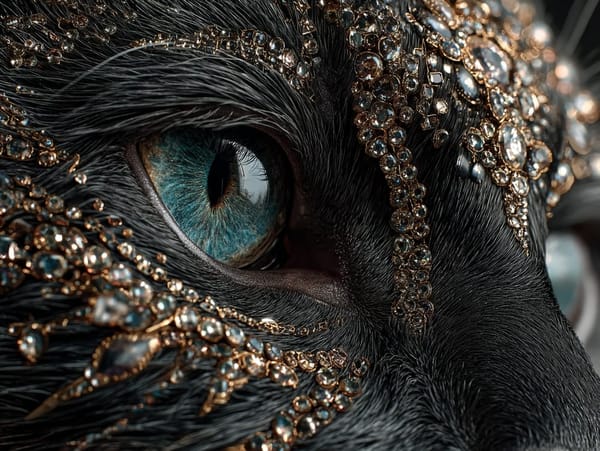
Sinematik Fotorealizm
V7; doğal cilt dokuları, fiziksel olarak doğru ışıklandırma ve gerçekçi materyal yansımalarıyla o bariz "yapay zeka görünümünü" azaltıyor.
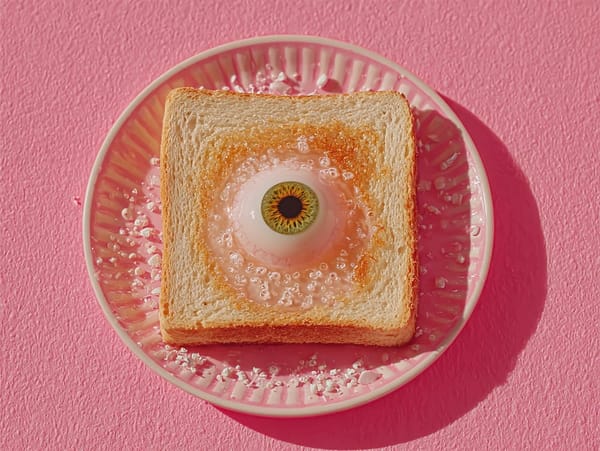
Gelişmiş Stil Referansı
a cute girl. --sref [sref kodları]
V7'nin güncellenmiş --sref sistemi ve Omni Reference aracı, görsel stil aktarımı üzerinde size hassas kontrol sağlar; böylece farklı üretimler arasında tutarlı estetiği korumak kolaylaşır.
Komut (Prompt) Rehberi
Temel Parametreler
Versiyon (Version)
7: Yeniden yapılandırılmış mimariye sahip en gelişmiş kararlı model
6.1: Optimize edilmiş V6 — iyileştirilmiş dokularla daha hızlı işleme
6: Eski kararlı sürüm; yeni versiyonlar tercih ettiğiniz estetiği değiştirirse kullanışlıdır
Niji (Anime ve İllüstrasyon)
6: En son sürüm; karmaşık ışıklandırma, keskin detaylar ve metin işlemede mükemmeldir
5: Daha stilize, retro anime estetiğine sahip klasik versiyon
0: Deneysel ilk Niji stilleri için temel sürüm
Kalite (Quality)
0.5: Hızlı fikir testi için taslak kalitesi
1: Detay ve üretim hızı arasında standart denge
2: Final çıktılarında maksimum detay için yüksek kalite
Yaratıcı Kontroller
Stylize (0–1000)
Yapay zekanın komutunuz üzerinde ne kadar yaratıcı özgürlük kullanacağını kontrol eder.
Düşük değerler (0–100): Açıklamanıza sıkı sıkıya bağlı kalır — logolar veya belirli teknik tasarımlar için en iyisidir
Yüksek değerler (200–1000): Yaratıcı yorumlama, gelişmiş ışıklandırma ve kompozisyon süslemeleri ekler
Chaos (0–100)
İlk sonuç ızgarasındaki görseller arasındaki çeşitliliği kontrol eder.
Düşük değerler: Tahmin edilebilir, birbirine benzer sonuçlar
Yüksek değerler: Birbirinden tamamen farklı kompozisyonlar — yaratıcı yönleri keşfederken kullanışlıdır
Weird (0–3000)
Sıra dışı ve gerçeküstü unsurları kontrol eder.
Düşük değerler: Standart, geleneksel estetik
Yüksek değerler: Sürreal, beklenmedik sonuçlar — avangart veya deneysel projeler için ideal
Stil Referans Şablonu
[konu açıklaması] --sref [referans kodu veya URL] --sw [0-100]
Örnek:
bahçede sevimli bir kız --sref 123456789 --sw 50
--sw parametresi stil ağırlığını kontrol eder; yüksek değerler referansı daha güçlü bir şekilde uygular.
Midjourney vs. Nano Banana
| Özellik | Midjourney V7/V8 | Nano Banana |
|---|---|---|
| Tasarım Felsefesi | Önce estetik | Önce mantık |
| Metin İşleme | Sınırlı (V8 biraz daha iyi) | Güçlü |
| Komut Anlama | Yaratıcı yorumlama | Hassas semantik doğruluk |
| Karakter Tutarlılığı | Düşük | Yüksek |
| Üretim Hızı | Hızlı (V8 daha hızlı) | Orta |
| Sanatsal Stiller | Olağanüstü | İyi |
Kullanım Alanları
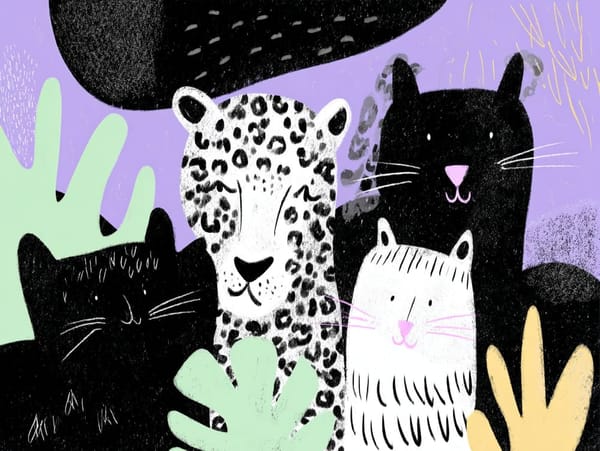
Stilize İllüstrasyon
Çocuk Kitabı İllüstrasyonları: Yumuşak sulu boya veya renkli kalem karakterler
Maskotlar: Stilize marka veya takım karakterleri
Tişört Tasarımı: Düz grafikler veya vintage eskitme görünümler
Not: İllüstrasyon çalışmaları için V7 şu anda V8 alfa sürümünden daha iyi sonuçlar veriyor.
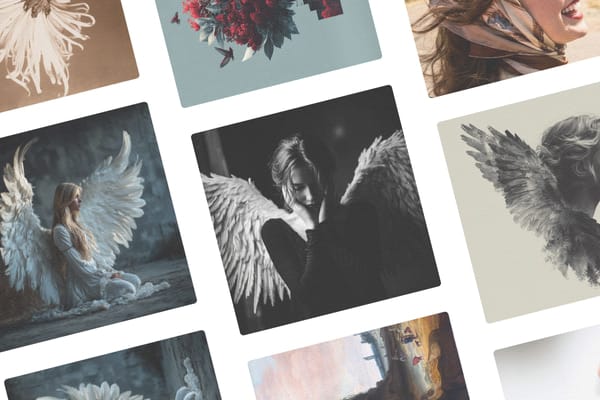
Albüm Kapağı
Metal / Rock: Yüksek kontrastlı karanlık, gotik ve sürreal görseller
Elektronik / Tekno: Soyut geometriler, neon paletler, fütüristik dokular
Indie / Folk: Doğadan ilham alan çift pozlama (double exposure) çekimler
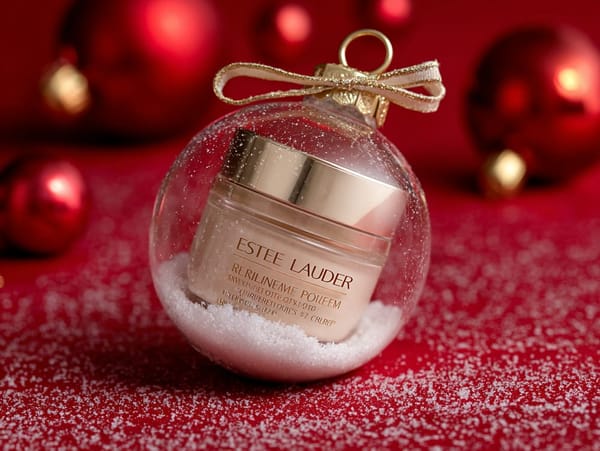
Ürün Tasarımı İlhamı
Ambalaj: Egzotik malzemelerden parfüm şişeleri, içecek kutuları, lüks kutular
Ayakkabı: Karmaşık katmanlara sahip fütüristik sneaker konseptleri
Otomotiv Konseptleri: Tarz sahibi ortamlarda fütüristik arabaları görselleştirme
Versiyon Geçmişi
| Versiyon | Yayınlanma | Temel Değişiklikler |
|---|---|---|
| V8 (Alfa) | Mart 2026 | 2K HD modu, daha hızlı üretim, gelişmiş fotorealizm |
| V7 | Nisan 2025 | Taslak Modu, Kişiselleştirme, Omni Reference |
| V6.1 | Temmuz 2024 | ~%25 daha hızlı, daha hassas detaylar ve dokular |
| V6 | Aralık 2023 | Gelişmiş komut doğruluğu, gelişmiş görsel komutları ve remiksleme |
| V5.2 | Haziran 2023 | Estetik sistemi, uzaklaştırma (zoom out) özelliği |
| V5.1 | Mayıs 2023 | Daha belirgin stilizasyon varsayılanları |
| V5 | Mart 2023 | Büyük fotoğrafik realizm iyileştirmeleri |
| V4 | Kasım 2022 | Yeni kod tabanı ve mimari revizyonu |
| V3 | Temmuz 2022 | --stylize ve --quality parametrelerinin tanıtımı |
| V2 | Nisan 2022 | Yükseltme (Upscale) ve Varyasyon butonları eklendi |
| V1 | Şubat 2022 | İlk genel yayın |
Neden Somake'i Seçmelisiniz?
Bütünleşik Erişim
Her proje için mükemmel görünümü bulmak amacıyla Midjourney V7 sonuçlarını GPT Image veya Nano Banana gibi diğer barındırılan modellerle karşılaştırın.
Entegre Son İşleme
Platformdan ayrılmadan Image Upscaler (Görsel Yükseltici), Arka Plan Kaldırıcı ve Sihirli Silgi gibi dahili araçları kullanarak üretimlerinizi anında geliştirin.
V8 Entegrasyonu Yakında
Midjourney V8'i entegre etmek için aktif olarak çalışıyoruz — Somake üzerinde 2K HD çıktı ve daha hızlı üretim için takipte kalın.
Sık Karşılaşılan Sorunların Giderilmesi
Sorun: Yapay zeka hex renk kodlarımı görmezden geliyor.
Çözüm: Hex kodlarını komutunuzun en sonuna yerleştirin ve bir Stil Referans görseli ile birleştirin. Hex kodları ana yönlendirmeden ziyade destekleyici olarak daha iyi çalışır.
Sorun: Eller ve parmaklar bozuk görünüyor veya fazladan parmak var.
Çözüm: Bu bilinen bir kısıtlamadır. Komutunuza "anatomically correct hands" (anatomik olarak doğru eller) eklemeyi deneyin, daha düşük chaos değerleri kullanın veya elleri sonradan düzeltmeyi planlayın. V8 alfa bu sorunu henüz tam olarak çözmüş değil.
Sorun: Görsellerdeki metinler okunaksız veya hatalı yazılmış.
Çözüm: Midjourney'nin metin işleme yeteneği sınırlıdır. Metin ağırlıklı tasarımlar için görseli metinsiz oluşturup, tipografiyi daha sonra bir tasarım aracıyla eklemeyi düşünün. Alternatif olarak, daha güçlü metin yeteneklerine sahip modeller için Midjourney alternatifleri rehberimize göz atın.
Sorun: Sonuçlar çok fazla birbirine benziyor.
Çözüm: Daha fazla varyasyon eklemek için chaos değerinizi artırın. Orta düzeyde çeşitlilik için chaos 25-50 ile başlayın veya dramatik farklar için daha yükseğe çıkın.
Sorun: Model kompozisyonuma istemediğim öğeler ekliyor.
Çözüm: Hariç tutulmasını istediğiniz öğelerin önüne --no parametresini ekleyin. Örnek: --no trees, clouds, people
Sorun: Stil referansım tutarlı bir şekilde uygulanmıyor.
Çözüm: Daha güçlü bir uygulama için stil ağırlığı parametresini (--sw) 50-100 arasındaki değerlere yükseltin. Referans görselinizin istediğiniz stili net bir şekilde temsil ettiğinden emin olun.