Rode Ogen Verwijderen
Ontdek hoe je direct rode ogen uit foto's verwijdert. Upload je afbeelding naar onze AI-editor voor een perfect resultaat op iPhone, Android of desktop.
Automatische AI Rode Ogen Correctie
Verwijder het rode-ogeneffect direct met geavanceerde AI. Deze tool corrigeert automatisch reflecties op het netvlies in portretten en groepsfoto's, waardoor de natuurlijke oogkleur wordt hersteld zonder kwaliteitsverlies.
Hoe je rode ogen uit foto's verwijdert
Het fixen van de flits-schittering is snel en simpel. Volg deze stappen:
Upload je afbeelding: Sleep je foto naar de editor.
Genereer: Klik op Genereren. De AI neutraliseert de rode tinten en herstelt een natuurlijke pupilkleur.
Download: Bekijk het resultaat en sla je gecorrigeerde afbeelding direct op.
Belangrijkste Functies
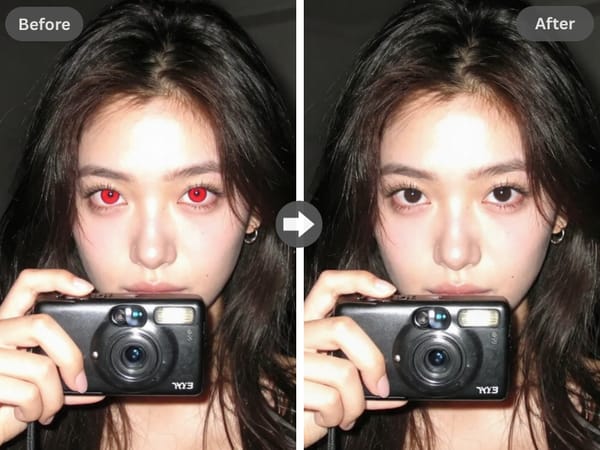
Nauwkeurige AI-detectie
Handmatig kleuren is niet nodig. Onze machine learning maakt onderscheid tussen de pupil en de iris, en richt zich alleen op de roodheid.
Tip: Last van schittering op een bril? Gebruik onze Brilschittering Verwijderen tool voor een kristalhelder beeld.
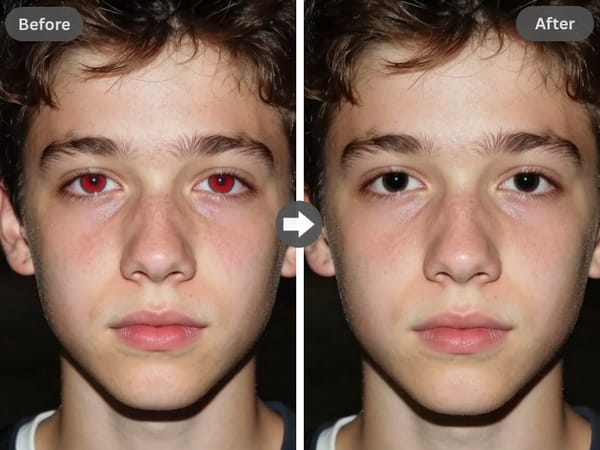
Werkt op al je apparaten
Volledig responsive design. Of je nu rode ogen wilt verwijderen op een iPhone, Android of desktop, de tool werkt direct in je browser. Je hoeft geen zware apps te installeren—ideaal voor snelle bewerkingen onderweg.
Veelvoorkomende Toepassingen
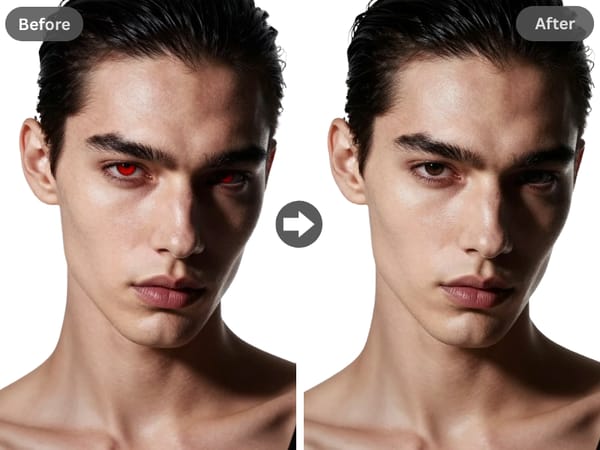
Professionele Headshots
Je ogen zijn het middelpunt van je digitale identiteit. Laat rode ogen een geweldige LinkedIn-profielfoto of cv-foto niet verpesten.
Deze tool zorgt voor een heldere, authentieke uitstraling zonder afleidingen, zodat je een sterke en zelfverzekerde eerste indruk maakt.
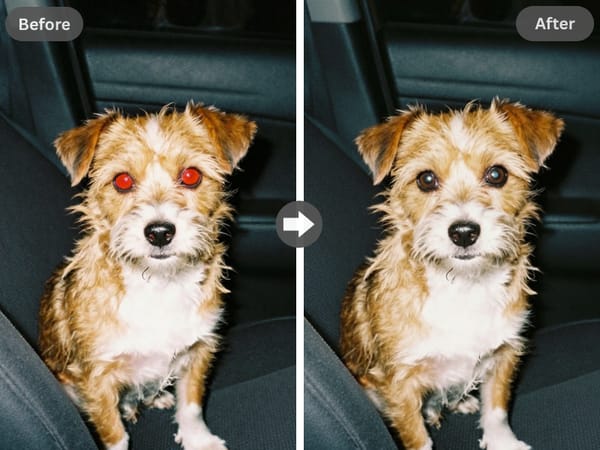
Correctie voor Dierenfoto's
Dieren krijgen door een flits vaak "groene" of "gele" ogen. Onze foto-editor herkent en herstelt deze onnatuurlijke kleuren in portretten van honden en katten, wat je een hoop handmatig werk bespaart.
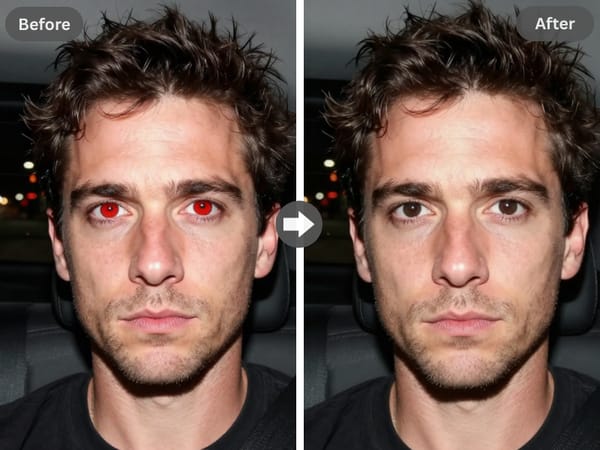
Nachtleven- en Evenementenfotografie
Bij weinig licht wordt de flitser geactiveerd, wat rode ogen veroorzaakt. Terwijl wij de ogen herstellen, zorgt weinig licht vaak ook voor ruis.
Aanbeveling: Combineer deze fix met onze Image Denoiser om korreligheid te verminderen terwijl de details scherp blijven.
Maak je Nabewerking Compleet
Somake biedt een volledige reeks AI-tools om je bewerking af te ronden:
Authentiek Beeldherstel: Iets te veel bewerkt? Gebruik de Filter Verwijderaar om kunstmatige lagen te verwijderen en de originele look te herstellen.
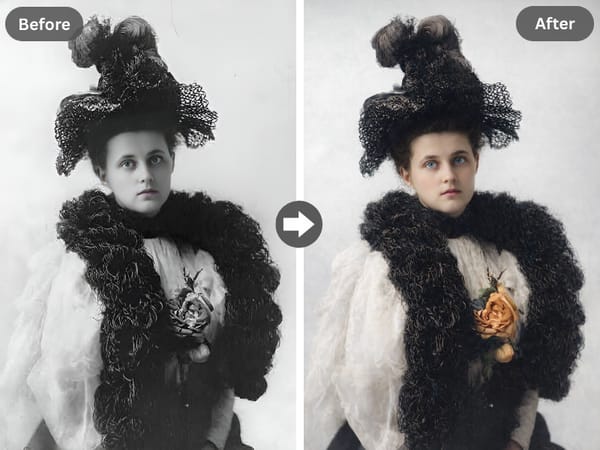
Oude Herinneringen nieuw leven inblazen
Werk je met gescande afdrukken die beschadigd of vervaagd zijn? Gebruik Oude Foto Restauratie om krassen, scheuren en kleurvervaging te repareren.
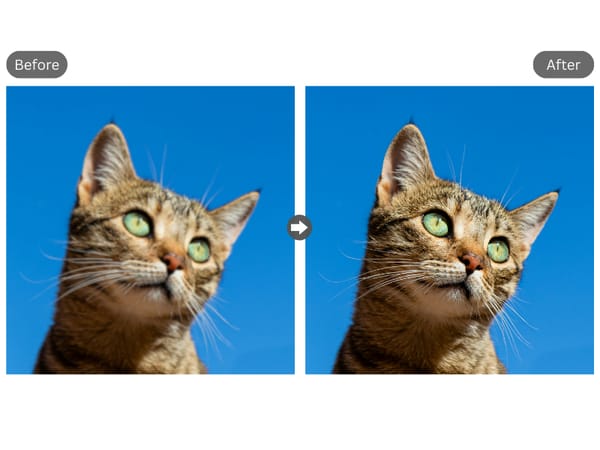
Definitie en Formaat Verbeteren
Voor bijgesneden foto's of bestanden met een lage resolutie die moeten worden afgedrukt, gebruik je de Image Upscaler om de resolutie te verhogen en details te verduidelijken zonder kwaliteitsverlies.
Waarom Somake gebruiken voor fotobewerking
Direct Resultaat
Onze engine voert de correcties binnen enkele seconden uit, niet minuten.
Geen Kosten
Gebruik een gratis rode-ogenverwijderaar die resultaten van professionele kwaliteit levert zonder abonnement.
Natuurlijke Bewerking
Correcties vloeien naadloos over in de originele oogstructuur, waardoor de "zwarte stip"-look van oudere tools wordt vermeden.