Efekt Ataku Rekina
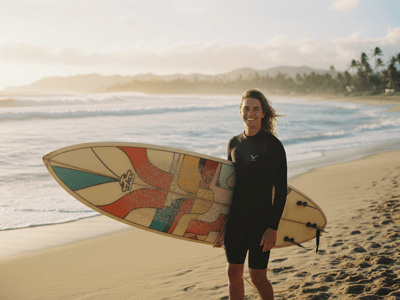
Dodaj napięcie do swoich nagrań z efektem Shark Alert. Zamień zdjęcia w dynamiczne sceny w kilka sekund. Najlepsze efekty uzyskasz na zdjęciach z ludźmi.
Zmień statyczne obrazy w dramatyczne sceny wideo
To narzędzie wykorzystuje zaawansowaną sztuczną inteligencję, aby przekształcić zwykłe zdjęcia w dynamiczne, kinowe filmy z mrożącym krew w żyłach scenariuszem "ataku rekina". Zostało zaprojektowane jako specjalistyczny system transformacji obrazu w wideo, który błyskawicznie dodaje napięcia Twoim materiałom. Najlepiej sprawdza się w przypadku zdjęć, na których znajdują się ludzie.
Kluczowe funkcje
Konwersja obrazu do wideo oparta na AI
Sercem tego narzędzia jest zaawansowany silnik do wprawiania statycznych obrazów w ruch. Analizuje on głębię oraz obiekty na przesłanym zdjęciu, aby stworzyć realistyczne środowisko wideo, zamiast po prostu nakładać płaski efekt na wierzch grafiki.
Szybki czas realizacji
Zaprojektowany z myślą o wydajnej pracy silnik renderujący błyskawicznie przetwarza obrazy. Dzięki temu twórcy mogą testować różne zdjęcia i generować wiele wariantów wideo w krótkim czasie – to idealne rozwiązanie, gdy gonią Cię terminy w mediach społecznościowych.
Treści do mediów społecznościowych
Twórcy na platformach takich jak TikTok, Instagram Reels i YouTube Shorts używają efektu Shark Alert, aby przyciągnąć uwagę w filmach z podróży czy lifestyle'u.
Zwykłe nagranie z wakacji, na którym ktoś skacze z łodzi, staje się viralem dzięki dodaniu wielkiego rekina płynącego tuż pod powierzchnią wody.
Filmy niezależne i ulepszanie przebitek (B-Roll)
Narzędzie pozwala na tworzenie pełnych napięcia przebitek – takich jak płetwa grzbietowa przecinająca wodę w pobliżu łodzi – bez logistycznego koszmaru i kosztów związanych z filmowaniem prawdziwych zwierząt czy zatrudnianiem studia VFX.
Realizm uzyskanego materiału sprawia, że świetnie nadaje się on do projektów narracyjnych, które wymagają wiarygodnych efektów.
Tematyczne promocje marketingowe
Marketerzy pracujący dla akwariów, marek sprzętu do nurkowania czy organizatorzy wydarzeń tematycznych (takich jak "Shark Week") wykorzystują to narzędzie do tworzenia angażujących materiałów promocyjnych.
Mogą wziąć standardowe ujęcia stockowe z nurkami lub środowiskiem oceaniceznym i wstawić brandingowe lub tematyczne elementy z rekinem, tworząc dynamiczne reklamy, które zatrzymują uwagę użytkownika przewijającego tablicę.
Dlaczego profesjonaliści wybierają Somake
Usprawniony proces pracy
Zyskaj dostęp do profesjonalnych efektów VFX bezpośrednio w przeglądarce, bez pobierania ciężkiego oprogramowania czy zarządzania wtyczkami.
Integracja między narzędziami
Z łatwością przenoś wygenerowane wideo z efektem rekina do innych narzędzi Somake w celu finalnej korekcji kolorów lub ulepszenia dźwięku.
Kreatywność dostępna dla każdego
Obniżamy próg wejścia technologicznego, udostępniając skomplikowane techniki kompozycji obrazu twórcom na każdym poziomie zaawansowania.