서명 배경 제거
서명 이미지에서 배경을 즉시 제거하고 투명한 PNG 파일로 만들어 보세요. 문서 서명 및 전자 결재에 바로 사용할 수 있습니다.
투명 서명 PNG 파일 만들기
손으로 직접 쓴 서명이나 스캔한 이미지를 깔끔한 투명 PNG로 변환해 보세요. 이 서명 배경 제거 도구는 이미지에서 서명만 쏙 뽑아내어, 종이 질감이나 그림자, 배경을 단 몇 초 만에 없애줍니다.
서명 배경 지우는 방법

서명 이미지 업로드하기
배경이 제거된 투명 서명 PNG 다운로드하기
주요 특징
지능형 서명 추출 기술
서명 추출기가 잉크 자국과 배경 요소를 자동으로 구분합니다. 펜의 압력 변화와 자연스러운 획의 끝부분은 그대로 살리면서 나머지 배경만 깔끔하게 제거합니다. 번거로운 수작업이 필요 없습니다.
완벽한 투명 출력
만들어진 서명 PNG는 어떤 문서 위에 올려도 흰색 테두리나 지저분한 경계 없이 자연스럽게 배치됩니다. 워드 프로세서, PDF 편집기, 전자 서명 플랫폼 등 어디서나 바로 사용할 수 있습니다.
활용 사례
수기 서명 디지털화
스캔을 하다 보면 줄이 그어진 종이, 그림자, 고르지 않은 조명 등 원치 않는 요소가 함께 찍히기 마련입니다. 이미지 파일에서 서명만 추출하여 어떤 페이지 색상이나 배경 위에서도 자연스럽게 어울리는 깔끔한 디지털 서명을 만들어 보세요.
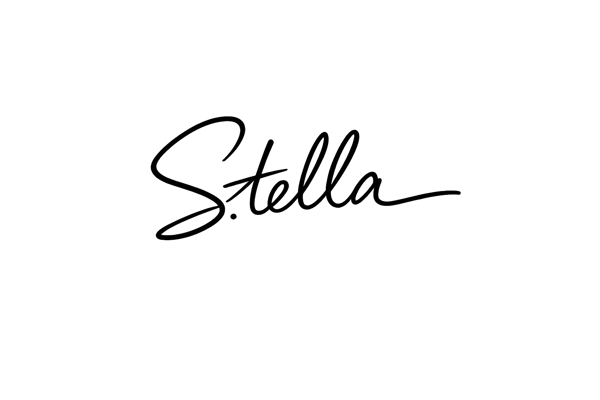
재사용 가능한 전자 서명 자산 만들기
고품질의 투명 서명을 한 번만 만들어 두면 제안서, 계약서, 공문 등에 계속해서 다시 사용할 수 있습니다. 서명을 위해 매번 출력하고 다시 스캔하는 번거로움 없이도 손글씨의 본연의 느낌을 그대로 유지할 수 있습니다.

PDF에 실제 서명 넣기
일반적인 PDF 서명 도구들은 단순히 타이핑된 폰트나 조잡한 그리기 기능만 제공합니다. 실제 내 손글씨를 투명 PNG로 불러와 보세요. 텍스트 입력 방식으로는 흉내 낼 수 없는 나만의 정성이 담긴 서명을 남길 수 있습니다.
왜 Somake를 선택해야 할까요?
빠른 속도
업로드부터 다운로드까지, 몇 분이 아니라 단 몇 초면 충분합니다.
품질 유지
압축으로 인한 화질 저하나 디테일 손실 없이, 원본 서명의 선명함을 그대로 유지합니다.
모든 기기 지원
웹 브라우저 기반으로 제작되어 윈도우, 맥, 태블릿, 스마트폰 어디서든 자유롭게 사용할 수 있습니다.