Effets de Transition Vidéo
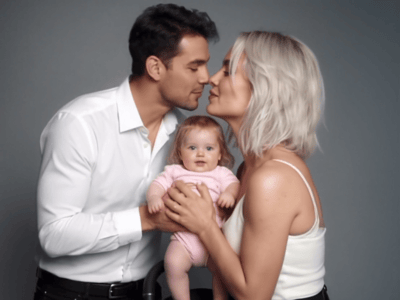
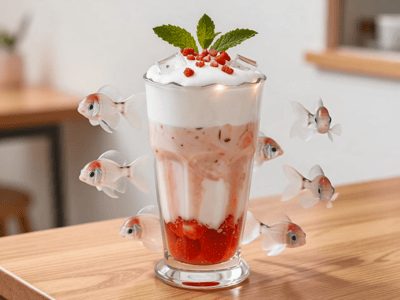
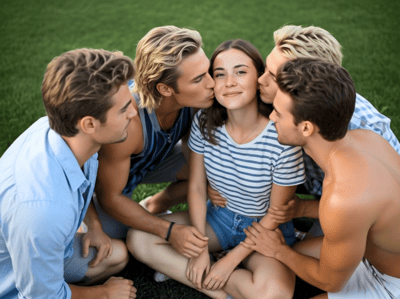
Créez des transitions vidéo captivantes en un clic. Importez votre photo et laissez l'IA de Somake générer un mouvement de caméra cinématographique pro.
Effets de Transition Vidéo : Des mouvements cinématiques de style "Méta"
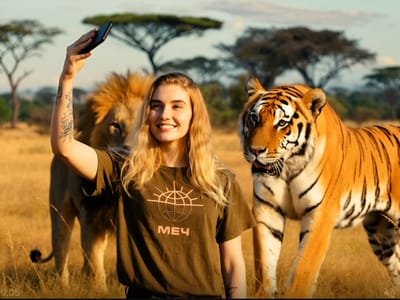
Display Transition transforme vos portraits statiques en clips vidéo dynamiques et cinématiques. Conçu pour les portraits avec un sujet unique, il introduit un moment visuel insolite : un caméraman virtuel entre dans le champ, l'objectif en avant, créant une transition à la fois ludique et professionnelle.
Propulsé par l'IA, cet outil ne nécessite aucun prompt : ni commande text-to-video, ni configuration manuelle. Le résultat offre une esthétique "making-of" soignée qui relie vos scènes sans effort, sans les heures de masquage et de compositing exigées par les logiciels de montage traditionnels.
Caractéristiques clés
Esthétique Méta Cinématique
La signature visuelle de cet outil est son style "méta" assumé. En introduisant un caméraman qui entre dans le plan, objectif en premier, il brise délibérément le quatrième mur. Cette esthétique apporte une touche de finition professionnelle et authentique à des images statiques banales, les transformant en éléments narratifs dynamiques.
Optimisation pour sujet unique
Pour préserver l'intégrité de la transition et la logique spatiale de la scène, le modèle d'IA est fortement optimisé pour les photos d'une seule personne. En se concentrant sur un sujet distinct — idéalement cadré en plan moyen ou en pied — l'algorithme peut calculer précisément la profondeur et la perspective, garantissant que le passage du caméraman semble physiquement ancré dans l'environnement généré.
Cas d'utilisation concrets
Des accroches captivantes pour les réseaux sociaux
Accrochez vos spectateurs dès les trois premières secondes. Utilisez Display Transition pour transformer une simple photo d'intro en mouvement : l'apparition soudaine du caméraman bouscule les attentes, crée un hook instantané pour TikTok, Reels ou Shorts, et assure une transition fluide vers votre contenu principal.
Vlogs et documentaires professionnels
Pour les vidéos de format long, les coulisses ou les reportages, cet effet sert de pont thématique. Utilisez-le pour passer d'un plan promo léché à une séquence plus brute et conversationnelle. Cette transition originale souligne la relation entre le créateur et la caméra et s'accorde parfaitement au ton d'un vlog personnel.
Présentation de portfolios numériques
Les artistes visuels, les designers de mode et les mannequins peuvent utiliser Display Transition pour sublimer leurs diaporamas de portfolio. Appliquez-le sur vos images clés pour passer d'une pièce à l'autre au lieu de simples fondus enchaînés — ce mouvement cinématique ajoute une haute valeur de production tout en gardant une séquence dynamique.
Améliorez votre flux de production avec Somake
Gestion intuitive de vos ressources
Somake organise vos téléchargements et vos transitions générées dans un espace de travail épuré. Cela vous permet de tester rapidement plusieurs options.
Vitesse de génération rapide
Pas besoin d'ingénierie de prompt : importez une image et générez votre clip en 60 à 90 secondes environ, pour continuer votre montage sans perdre votre élan.
Intégration fluide au montage
Les fichiers vidéo obtenus sont formatés pour une intégration immédiate dans votre flux de travail habituel, s'insérant facilement dans n'importe quel logiciel de montage vidéo standard.