مولد لوحات القصة
حوّل نصوصك إلى لقطات احترافية مع مولد لوحات القصة من Somake. اختر نوع اللقطة، حركة الكاميرا، والأسلوب الفني في ثوانٍ معدودة.
حوّل أوصاف المشاهد إلى لوحات سينمائية لقطة بلقطة
تحويل السيناريو إلى مرئيات يعني عادةً توظيف رسام متخصص أو قضاء ساعات في رسم مسودات تقريبية. يقوم مولد لوحات القصة بالذكاء الاصطناعي بتحويل وصف مشاهدك إلى لوحات احترافية في ثوانٍ. سواء كنت تتخيل مسبقاً فيلماً قصيراً، أو تعرض فكرة إعلان، أو تخطط لمشهد سينمائي في لعبة، ستحصل على تكوينات واضحة للقطات دون انتظار أحد.
كيفية الاستخدام
ارفع صورة مرجعية (اختياري). أضف ما يصل إلى صورتين لمنح الذاء الاصطناعي سياقاً بصرياً لشخصية، أو موقع، أو أداة معينة.
صِف مشهدك. كن دقيقاً — اذكر البيئة، والموضوع، والحركة. جملة "محقق يدخل زقاقاً غارقاً بالمطر، مع انعكاس أضواء النيون على الرصيف المبلل" أفضل بكثير من "محقق في زقاق".
اضبط القوائم الأربع المنسدلة — هنا تتحدد جودة النتيجة. يتحكم "نوع اللقطة" في الإطار، وتضيف "حركة الكاميرا" نية الحركة، ويحدد "الأسلوب الفني" الجمالية العامة، بينما تشكل "الحالة المزاجية" النغمة العاطفية. لا تتجاهل هذه الإعدادات.
استخدم علامات الأفكار (Ideas) للبدء بشكل أسرع. اختر علامة (مثل مشهد لعبة، أو إعلان ترويجي، أو تخطيط تشويقي، إلخ) واضغط على أيقونة التحديث للتنقل بين المزيد من الخيارات.
ولّد الصور وعدّلها. اضبط نسبة العرض إلى الارتفاع وعدد الصور في الإعدادات، ثم ولّد النتيجة، وحسّن الوصف، وكرر العملية لكل لقطة.
ما الذي يمكنك إنتاجه باستخدام هذه الأداة
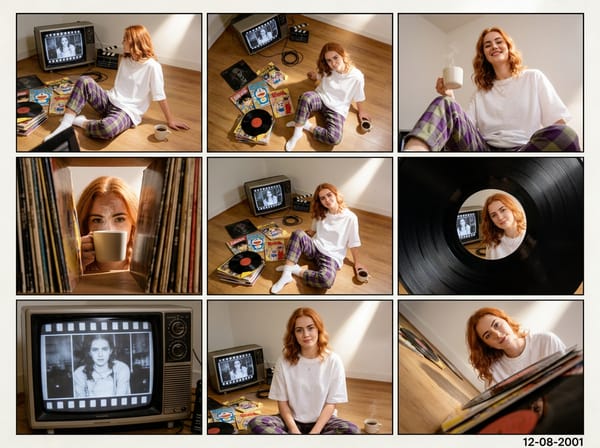
تخيل الفيلم أو الفيديو مسبقاً قبل التصوير
تخطيط حركة المشاهد المعقدة قبل الوصول إلى موقع التصوير يوفر الوقت والمال. صِف بيئتك وحركتك، واختر حركة كاميرا مثل "dolly" أو "crane"، ثم ولّد الكادر. ابنِ قائمة لقطاتك الكاملة لوحة تلو الأخرى قبل أن يبدأ دوران الكاميرا. بمجرد تثبيت الصور الثابتة، يمكنك تحريك اللوحات لإنشاء مخطط حركة (animatic) كامل.
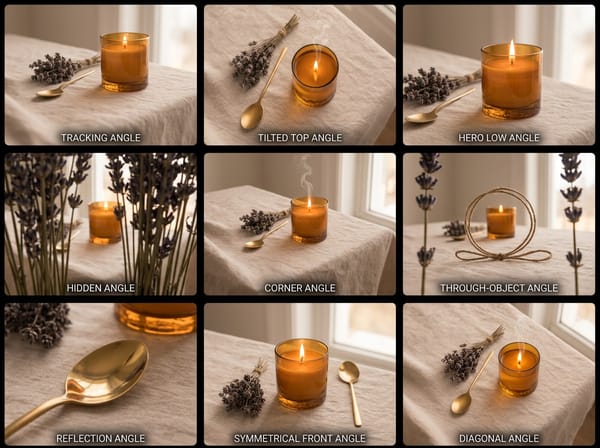
اعرض فكرة إعلان أو حملة تواصل اجتماعي
غالباً ما تحتاج وكالات الإعلان والمبدعون المستقلون إلى بيع المفهوم (Concept) قبل إنتاجه. استخدم علامات أفكار "إعلانات التواصل" أو "التخطيط العملي" للبدء بسرعة، ثم اضبط الحالة المزاجية والأسلوب الفني ليتماشى مع متطلبات العلامة التجارية. العرض البصري يصل بشكل أفضل من مجرد نص — ويمكنك إنشاء جميع الكوادر في جلسة واحدة.
خطط لمشهد لعبة أو تسلسل رواية مصورة
يحتاج مصممو الألعاب ومؤلفو الكوميكس إلى تحديد زوايا الكاميرا وتيرة الأحداث قبل تسليم العمل للفنانين. اختر من بين الإعدادات المسبقة لمشاهد الألعاب أو تدفق واجهة المستخدم، واضبط أسلوبك الفني، وأنتج مخططاً يمكن لفريقك الرجوع إليه بالفعل. هذا يستبدل الاسكتشات اليدوية البسيطة بكوادر مصقولة ومتسقة.
ما الذي يجعلها مختلفة
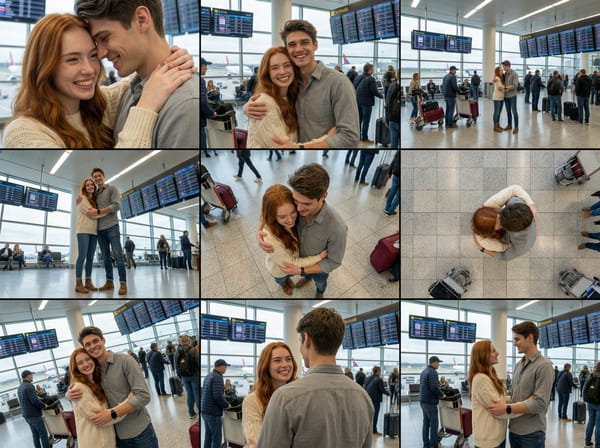
أدوات تحكم بنوع اللقطة وحركة الكاميرا مدمجة في الوصف
تتطلب معظم أدوات الصور بالذكاء الاصطناعي كتابة اتجاه الكاميرا ضمن النص الحر، وهو أمر غير دقيق ويصعب ضبطه. تمنحك القوائم المنسدلة المخصصة لنوع اللقطة وحركة الكاميرا تحكماً منظماً في التأطير ونية الحركة — لذا فإن خيارات مثل "Dutch Angle" أو "Dolly In" تؤثر بشكل موثوق وفعلي على النتيجة، وليس فقط في بعض الأحيان.
الحالة المزاجية والأسلوب الفني يحافظان على تناسق التسلسل
لوحة القصة غير المترابطة — حيث تبدو كل لوحة وكأنها أُنتجت بأداة مختلفة — لا فائدة منها للإنتاج. اضبط الأسلوب الفني والحالة المزاجية مرة واحدة وقم بتطبيقها على تسلسلك بالكامل. هذا يحافظ على تماسك اللوحات بما يكفي لمشاركتها مباشرة مع العملاء أو فريق العمل.
مولد لوحات القصة مع مدخلات الصور المرجعية
ارفع ما يصل إلى صورتين مرجعيتين بجانب وصفك النصي. هذا مفيد جداً عندما يتطلب مشهدك مظهراً خاصاً لشخصية، أو موقعاً، أو أداة يصعب وصفها بالكلمات وحدها. يستخدم الذكاء الاصطناعي الصورة كزيادة للسياق، وليس النص فقط.
علامات أفكار جاهزة تغطي أشهر سيناريوهات اللقطات
تتضمن لوحة الأفكار إعدادات مسبقة مخصصة للإنتاج: حركة تخطيطية، توتر تخطيطي، قصة إعلان منتج، حوار رسوم متحركة، مشهد سينمائي للعبة، قائمة لقطات حركة، جذب انتباه للتواصل الاجتماعي، مقدمة يوتيوب، والمزيد. بدلاً من بناء الأوصاف من الصفر، ستحصل على نقطة بداية مناسبة لسياق إنتاجك. قم بتدوير العلامات باستخدام أيقونة التحديث لرؤية جميع الخيارات المتاحة.
لماذا Somake
مساحة عمل إبداعية متكاملة
قم بإنشاء لوحات القصة مع Somake وتوقف عن التنقل بين التطبيقات المنفصلة، وتصدير الملفات اللانهائي، والاشتراكات المتعددة.
مصمم لتحكم احترافي
تخلص من نتائج الذكاء الاصطناعي العشوائية. يتيح لك Somake تحديد زوايا الكاميرا وأنواع اللقطات للحصول على نتائج دقيقة وقابلة للاستخدام.
انتقال سلس بين الوسائط
قم بتوسيع اللوحات، وتحسين الدقة، وتحويل أصولك إلى وسائط جديدة — كل ذلك في مكان واحد.