配送ラベル作成
USPS、UPS、FedEx、DHLに対応した配送ラベルをAIが自動作成。短いテキスト入力だけで、各配送業者の規定に沿った正確なラベルを素早く、ブランドイメージに合わせて発行できます。
AI配送ラベル作成ツール:プロンプトから各配送業者の規定に沿ったラベルをデザイン
一般的な配送ラベルのテンプレートは、配送業者の定型PDFだったり、レイアウトが崩れやすいWordファイル、使い慣れないデザインツールなど、思い通りのブランドイメージに合ったラベルをサッと作れるものはなかなかありません。このAI配送ラベル作成ツールなら、短いプロンプトを入力するだけで、USPS、UPS、FedEx、DHLに対応した印刷可能なラベルを生成できます。レイアウト作業に時間をかけず、プロフェッショナルな見た目のラベルを必要とするECサイトのオーナーや小規模ビジネスに最適です。
使いかた
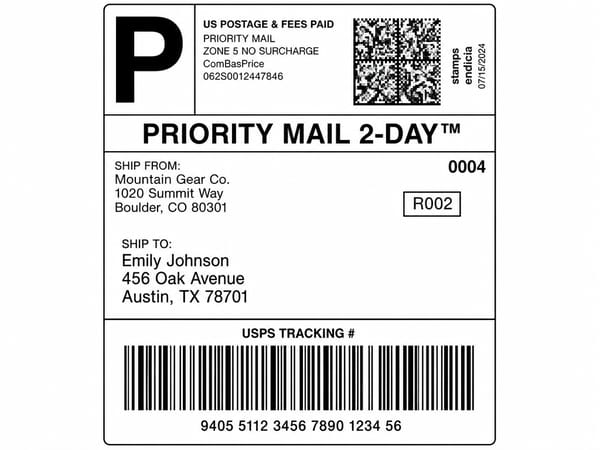
利用する配送業者(USPS、UPS、FedEx、DHL、または一般的な形式)と、希望のラベルスタイル(標準、ブランドロゴ入り、ミニマル、コーポレートなど)を伝えます。
発送元と配送先の住所、追跡番号、サービス名(Ground、Priority Mail、Overnightなど)をプロンプトに入力します。
重量や「Fragile(取扱注意)」、「This Side Up(天地無用)」などの詳細情報を追加して、生成ボタンを押します。
プレビューを確認し、必要に応じて微調整して再生成したら、完成したデザインをダウンロードしましょう。
主な機能
複数キャリアへの対応
UPS、USPS、FedEx、DHLの各配送ラベルを、プロンプトひとつで使い分けることができます。配送業者名を書き換えるだけでOK。注文内容によって配送業者を使い分けているビジネスでも、ブランドの統一感を保ったラベルを簡単に作成できます。
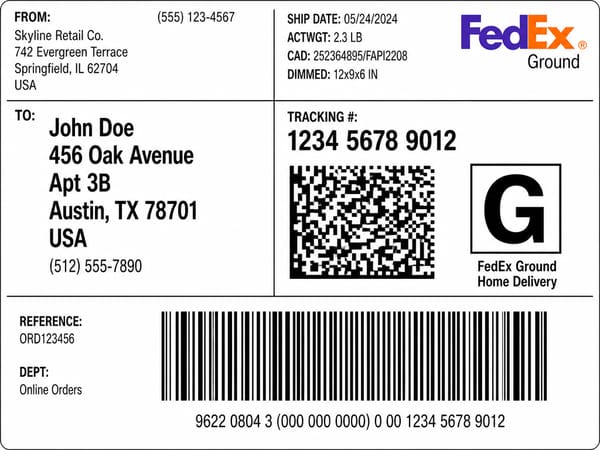
プロンプトで追跡番号や配送種別を指定
追跡番号や、Priority Mail、Ground、2-Day Air、Internationalといった配送種別を入力するだけで、それに対応したバーコードエリアやサービスバナー、ルーティングの詳細が反映されます。テキストボックスを自力で配置したり、要素を細かく整列させる手間は一切ありません。
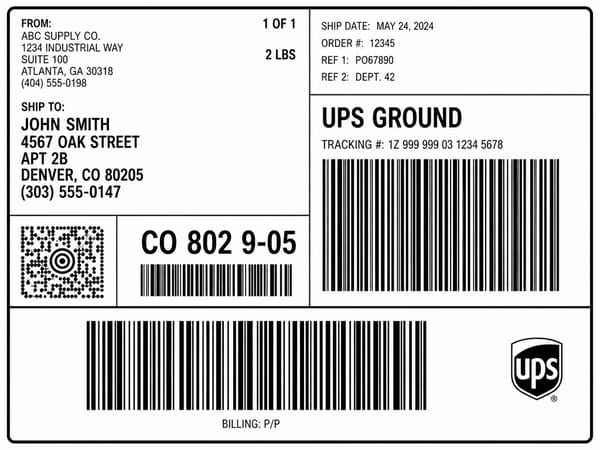
各配送業者の規定に忠実なレイアウト
このツールは、各配送業者が実際に採用している視覚的なルール(サービス種別のバナー、バーコードの配置、追跡番号の形式、ロゴの位置など)に従って生成します。単にテンプレートの上にロゴを置いただけのものではなく、本物の配送ラベルのような仕上がりになります。
活用シーン
ECサイトの商品パッケージ・モックアップ
商品の写真やマーケティング用の画像、Shopifyストアのバナーなどで、リアルな配送ラベルが貼られたパッケージを再現できます。無地箱にブランドラベルを貼るだけで、素材写真から一気に「実際に届く商品」のイメージへと変わります。
ブランディングとカラーテスト
熱転写プリンターを導入したり、3PL(物流代行)とのシステム連携を行う前に、自社のブランドカラーやロゴが配送ラベル上でどう見えるかをテストできます。立ち上げ間もないDTCブランドやパッケージデザイナーに最適です。
チュートリアル、デモ、教育用資料
配送ラベルの作り方を説明するマニュアルや、カスタマーサービスのトレーニング、教育用ビデオなどのために、クリアでリアルなラベル見本を作成できます。さらに、動画生成ツールを使えば、ステップバイステップの解説動画としてアニメーション化することも可能です。
Somakeが選ばれる理由
プロンプトひとつで、あらゆる業者に対応
単語ひとつ変えるだけで、USPS、UPS、FedEx、DHL、各プラットフォームのフルフィルメント形式に切り替え可能です。
配送業者の規格に一致するレイアウト
ロゴ、バーコード、サービスバナーは、単なる飾りではなく、各業者が実際に規定している位置に忠実に配置されます。