SpongeBob Meme Generator
Generate Mocking SpongeBob, Rainbow, Screaming, and Imagination memes from a text prompt. Type your caption, pick the template, download in seconds.
AI SpongeBob Meme Generator: Turn Any Idea Into a SpongeBob Meme
You have the perfect reaction in your head — Mocking SpongeBob, the rainbow, the scream — but editing software is slow and template sites are cluttered with ads. Somake's SpongeBob meme generator reads your caption and delivers the finished meme in seconds — right template, right expression, no setup. No login, no Photoshop, no hunting for a clean PNG.
How to Use
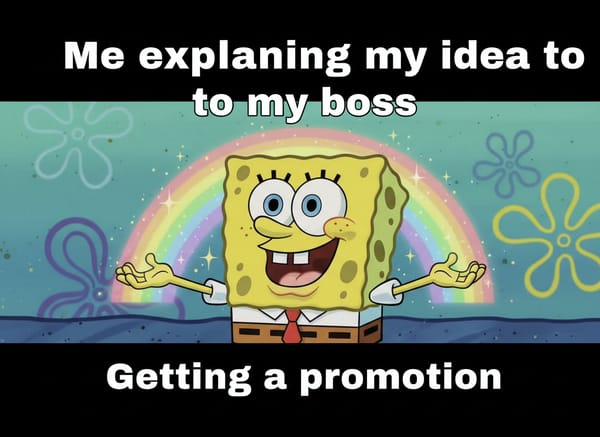
Choose a SpongeBob meme template — Mocking, Rainbow, Screaming, Imagination, or Chicken — and describe the scene you want.
Type your top text and bottom text directly into the prompt, along with the caption style and mood you're going for.
In the Extra Detail field, type anything that goes beyond the caption — a dark background, Gary in the corner, a second character — or leave it empty and the tool handles the scene.
Generate, download, and post — or tweak the caption and run it again until it lands right.
Key Features
Caption Style That Matches the Format
Classic white Impact with black outline, bold text on a black bar, or no caption at all for a clean template export. Want to tweak the text further after downloading? Use Edit Text in Image. The style you pick gets applied consistently across the whole image, not just the top or bottom line.
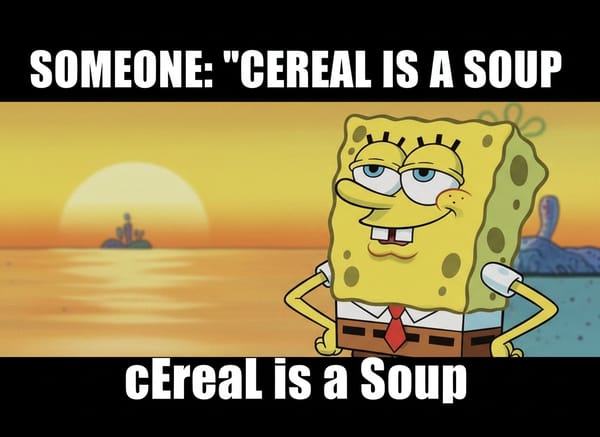
Set the Mood, Get the Right Expression
"Shocked and panicked" renders differently from "smug and condescending." Specifying the mood pulls the right character expression for each template — useful when the same template has multiple variants in the wild.
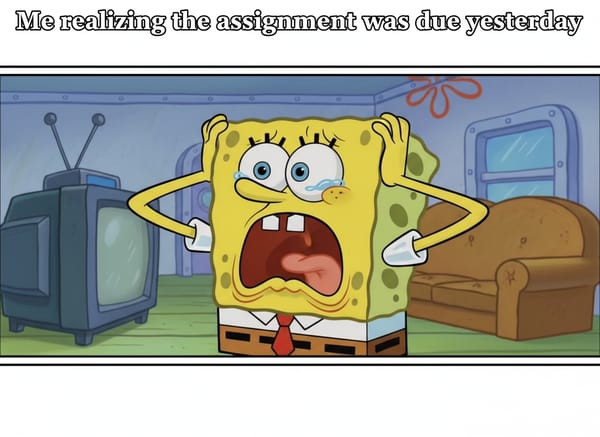
Every Classic SpongeBob Template, Ready to Use
Mocking SpongeBob, Rainbow, Screaming, Imagination, Chicken — the templates that actually get shared are all here. Pick the one that fits your joke and the tool handles the character pose, expression, and scene automatically.
Use Cases
Social Media Reactions
Someone says something absurd in the group chat and you need a response in under a minute. Describe the setup in Top Text, write the reaction in Bottom Text, pick Mocking or Screaming, and you have a shareable image before the conversation moves on. You can also make a video to turn the still into a short video clip for Reels or TikTok.
Workplace Humor and Presentations
The "quick meeting that wasn't quick," the deadline that moved again, the update email that explained nothing — Mocking SpongeBob handles most of them. Generate a clean image, drop it into a Slack message or a slide deck — the joke lands itself.
Content Creation and Meme Accounts
Running a page that posts daily? Meme templates need fast turnaround. Use the Imagination or Rainbow template for aspirational setups, Screaming SpongeBob for anything that's gone sideways, and Chicken for the moments your audience refuses to do the obvious thing. Each one comes out of a single prompt — no template hunting, no caption alignment.
Why Somake
No Design Software Required
Describe the meme in plain text and get a finished image — no layers, no font sizing, no file exports. Want to upscale before sharing? Try Image Upscaler.
Every Template Variant in One Place
Mocking, Rainbow, Screaming, Imagination, Chicken — covered without switching between five different sites.
Generate, Adjust, Repeat Quickly
Change the caption or swap the template and regenerate in the same session — faster than re-editing a static file.