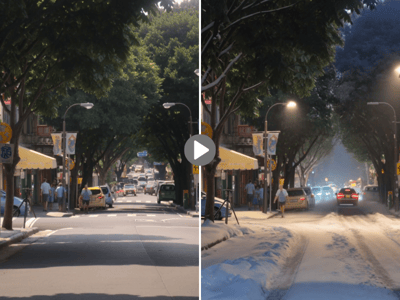
Video-Wasserzeichen entfernen
Kostenloser AI-Video-Wasserzeichen-Entferner. TikTok, Stock-Footage & AI-Wasserzeichen automatisch entfernen – ohne Unschärfe und direkt im Browser.
Video-Wasserzeichen entfernen ohne Qualitätsverlust
Entferne Wasserzeichen aus deinen Videos dank KI-gestützter Erkennung und Frame-Rekonstruktion. Dieses kostenlose Online-Tool verarbeitet MP4-, WEBM- und MOV-Dateien direkt in deinem Browser – ohne Software-Installation, ohne Unschärfe und ohne Qualitätsverlust.
Was ist ein Video-Wasserzeichen-Entferner?
Ein Video-Wasserzeichen-Entferner erkennt und eliminiert eingebettete Logos, Texte oder Brandings aus Videodateien. Während herkömmliche Methoden eine manuelle Bearbeitung Bild für Bild erforderten, automatisieren KI-gestützte Tools diesen Prozess: Sie analysieren Pixelmuster, identifizieren die Wasserzeichen-Bereiche und rekonstruieren den darunterliegenden Inhalt mithilfe der umliegenden Bilddaten.
So entfernst du Wasserzeichen online aus Videos
Upload — Ziehe dein Video einfach hinein oder klicke zum Durchsuchen (MP4, WEBM, MOV)
Verarbeitung — Die KI erkennt Wasserzeichen und rekonstruiert die Bereiche automatisch
Download — Speichere dein sauberes Video ab
Limits: Maximale Dateigröße 20 MB, maximale Dauer 600 Sekunden. Credits werden basierend auf der Videolänge berechnet.
Wichtige Features
Automatische Erkennung
Die KI lokalisiert Wasserzeichen ohne manuelle Auswahl – egal ob Logos in den Ecken, Overlays in der Mitte oder halbtransparenter Text. Du musst keine Rahmen mehr Bild für Bild zeichnen.
Entfernung ohne Unschärfe
Die inhaltsbasierte Rekonstruktion analysiert umliegende Pixel und Bewegungsmuster über mehrere Frames hinweg. Wasserzeichen-Bereiche werden mit passenden Inhalten gefüllt, statt sie einfach nur unschön zu verwischen.
Breite Format-Unterstützung
Verarbeite MP4-, WEBM- und MOV-Dateien von TikTok, Instagram, YouTube, CapCut, Premiere oder DaVinci Resolve ganz ohne Konvertierung.
Anwendungsbereiche
Vorschau von Stock-Material
Shutterstock, iStock, Pond5 und Adobe Stock versehen Vorschau-Clips mit Wasserzeichen. Teste das Material erst in deinem Schnittprojekt, bevor du es kaufst. Für die kommerzielle Nutzung ist weiterhin eine entsprechende Lizenz erforderlich.
Social Media Downloads
TikTok und Instagram fügen beim Speichern von Videos Plattform-Logos und Benutzernamen hinzu. Dieses Tool entfernt diese halbtransparenten Eck-Wasserzeichen für Creator, die Compilations, Reaction-Content oder plattformübergreifende Posts erstellen.
KI-generierte Videos
Tools wie Sora, Veo, Runway und Pika betten Wasserzeichen in ihre Ergebnisse ein, besonders in Gratis-Versionen. Verarbeite diese für deine persönlichen Projekte – die KI kommt bestens mit deren spezifischen Overlay-Stilen zurecht.
Warum dieses Tool?
Automatische Erkennung
Die KI identifiziert Wasserzeichen-Bereiche, ohne dass du Boxen zeichnen oder Bereiche mühsam einzeln auswählen musst.
Multi-Plattform-Support
Unterstützt TikTok, Instagram, YouTube, Stock-Seiten, KI-Generatoren und individuelle Wasserzeichen.
Browserbasiert
Bearbeite Videos direkt in deinem Browser auf jedem Gerät mit Internetzugang.