Pole Dance Video Effects
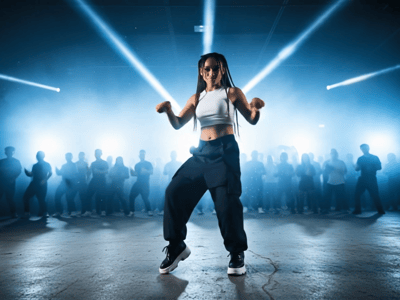
Upload a single photo to create a realistic AI pole dance video instantly. Experience the viral "my pole dancer era" trend with our easy-to-use AI generator.
AI Pole Dance Video Generator: Turn Static Photos into Dynamic Motion
Transform any photograph into a realistic pole dance video using AI animation. Upload one image, download share-ready content in minutes—no choreography or editing skills required.
How to use the Pole Dance AI Generator
Step 1: Select Your Source Image
Choose a high-quality JPG or PNG featuring one person facing the camera. The subject should stand relaxed with empty hands—objects like phones or bags cause visual artifacts.
Step 2: Upload and Animate
Drag your file into the upload area. The AI identifies the figure, constructs a skeletal framework, and applies pole dance motion data. Processing completes in 60-90 seconds.
Step 3: Preview and Save
Watch the generated preview to check for smooth movement.
Common Use Cases for AI Dance Videos
Viral Content Creation
Join viral trends like #PoleDanceAI on TikTok without needing physical dance skills. This tool allows for the instant creation of engaging, funny content that fits the popular "soda pop" aesthetic.
Personal Entertainment
Animate friends or yourself for hilarious group chat reactions and lighthearted birthday pranks. You can even use our Pose Generator to create unique starting stances before turning them into a video.
Creative Projects
Fitness enthusiasts can use this to visualize movement flow from a static pose as a digital "what-if" scenario. If your source photo is blurry, we recommend running it through our Image Upscaler first for a sharper result.
Why Professionals Choose Somake Infrastructure
Data Privacy and Security
We prioritize user privacy by ensuring that uploaded images are processed temporarily and are not stored permanently on our public servers.
Consistent Output Quality
We prioritize stable limbs and clear facial details in every animation. Tip: Use a Background Remover first if your photo has a cluttered background.
No Technical Expertise Required
We abstract the complexity of Generative Adversarial Networks (GANs) behind a simple UI. Users do not need prompt engineering skills to achieve a professional result.