Headshot Generator
Upload a clear photo, describe the professional look you want, and generate headshots for LinkedIn, resumes, team pages, and business profiles.
Create a Headshot for Your Professional Profile
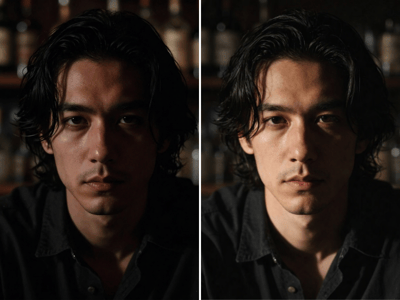
Somake’s AI Headshot Generator creates professional portrait variations using a required Front View photo and an optional Side Profile. Structured controls let you define the Style, Background, and Pose without writing a long prompt.
Use it for LinkedIn photos, resumes, company profiles, speaker bios, and personal websites. For a more artistic or themed transformation, try the AI Portrait Generator.
How to Generate an AI Headshot
Upload your photos. Add a clear Front View image and, optionally, a Side Profile of the same person.
Customize the look. Choose a Style, Background, and Pose.
Add specific details. Describe preferences such as clothing colors, accessories, makeup, or expression.
Adjust the settings. Select an Aspect Ratio and the Number of Images to generate.
Generate and review. Compare the results and download your preferred headshot.
Tips for Better Headshots
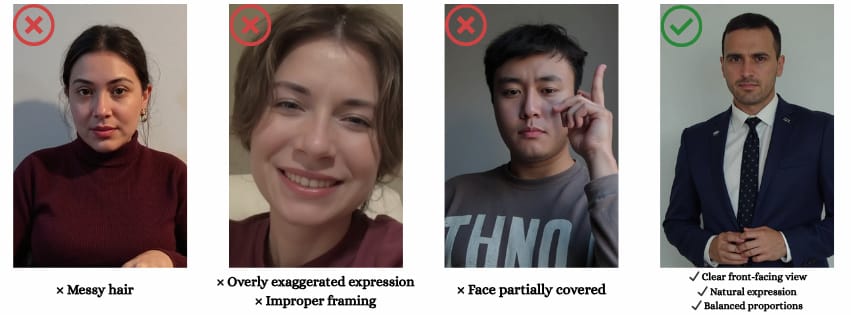
Use sharp, evenly lit photos with an unobstructed face.
If you upload both views, make sure they show the same person.
Keep Style, Background, Pose, and Details consistent.
Check facial features, clothing, accessories, and background edges before using the result.
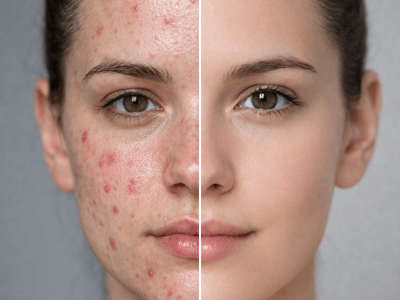
For minor finishing edits after generation, continue with the AI Photo Retouch tool.Key Features of the AI Headshot Generator
Key Features
Front and Side Photo References
The required Front View establishes the main facial reference. An optional Side Profile can provide additional information about facial shape and features that may not be visible from the front.
Structured Professional Styling
Separate Style, Background, and Pose controls make it easier to create a coherent business portrait. For example, a formal style, neutral background, and forward-facing pose work together for a conventional corporate headshot.
Custom Details and Output Format
Use Details for requirements not covered by the selectors, then choose an Aspect Ratio and image quantity suited to the destination.
Professional Headshot Use Cases
LinkedIn and Resume Photos
Choose a restrained style, simple background, and direct pose for a clear professional profile image.
Company and Team Profiles
Reuse similar Style, Background, Pose, and Details selections to create headshots with a more consistent visual direction across a team page.
Speaker Bios and Personal Websites
Adjust the clothing, background, and expression to match the tone of a portfolio, author page, conference profile, or personal brand.