ChatGPT Image
GPT Image 2 is OpenAI's most capable image model — 99% text accuracy, native reasoning, up to 10 images per prompt. Access it now on Somake AI.
ChatGPT Image AI Generator
Last Updated: April 22, 2026
Current Version: GPT Image 2
Legacy versions available via the left-hand panel.
Quick Overview Table
| Attribute | Details |
|---|---|
| Model Version | GPT Image 2 |
| Developer | OpenAI |
| Release Date | April 21, 2026 |
| Model Type | Image generation + editing (multimodal) |
| Core Strengths | Near-perfect text rendering, native reasoning, up to 4K resolution |
| Best For | Marketing creatives, infographics, product mockups, branded content, storyboards |
| Available On Somake | Yes |
Introduction
Unlike earlier standalone tools such as DALL-E, this ChatGPT image generator is architecturally integrated with OpenAI's language and reasoning systems, which means it interprets prompts with a level of contextual understanding that previous image models could not match.
As of GPT Image 2, the model introduces native reasoning capabilities — what OpenAI calls "thinking mode" — that allow it to plan composition, count objects, and verify layout constraints before rendering. The result is fewer failed generations on complex briefs and a notable jump in text rendering accuracy, which OpenAI reports at over 99% for both Latin and non-Latin scripts. For teams producing ad creatives, product sheets, or instructional graphics at volume, this changes what AI image generation is actually usable for.
GPT Image 2 is strongest for commercial and production use cases: branded content, UI mockups, infographics, editorial layouts, and multi-scene storyboards. It is less suited for purely aesthetic or fine-art generation where stylistic uniqueness is the primary goal — models like Midjourney remain the preference there.
What's New in GPT Image 2
Key changes from GPT Image 1.5 (December 2025):
Native reasoning: The model now plans layout, composition, and object placement before rendering — activated for paid ChatGPT subscribers.
Text rendering accuracy: Covers small UI labels, captions, multilingual scripts (Japanese, Korean, Chinese, Hindi, Bengali), and mixed-font layouts. A step change from 1.5, where text was "sometimes usable."
Character consistency across images: As of GPT Image 2, the model maintains subject identity — including appearance details like tattoos and hairstyle — across multiple generated frames.
Revamped architecture: OpenAI describes the underlying model as "rebuilt from scratch," with a knowledge cutoff of December 2025 for improved real-world accuracy.
Up to 4K resolution output: Supports resolutions up to 4096×4096 (max edge 3840px). Starting with a lower quality setting and upscaling afterward is a cost-effective way to reach 4K.
Web search in thinking mode: The model can pull reference images and facts mid-generation for diagram accuracy and real-world context.
Elimination of the yellow color cast: A persistent artifact in 1.5 outputs is gone as of GPT Image 2.
The upgrade is substantial — not incremental. Text rendering and reasoning together address the two most-cited blockers for professional use. GPT Image 1.5 was already capable; GPT Image 2 is commercially deployable for a wider range of tasks.
Core Features
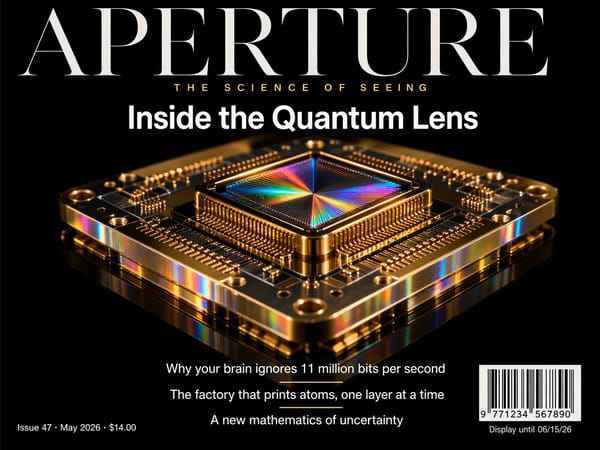
Near-Perfect Text Rendering in Generated Images
As of GPT Image 2, text accuracy across scripts and font sizes has reached over 99%, including CJK characters (Chinese, Japanese, Korean), Hindi, Bengali, and mixed-font layouts. This makes AI-generated marketing materials, menus, product labels, infographics, and educational diagrams usable without a manual redraw pass — something previous ChatGPT image generation models could not reliably deliver.
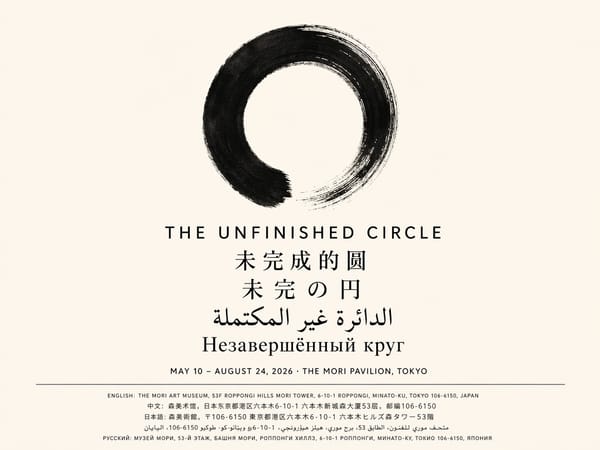
Multilingual Image Generation
GPT Image 2 renders non-Latin scripts accurately within images — not just transliterated but "rendered correctly with language that flows coherently," per OpenAI. Supported scripts include Japanese (Kanji/Hiragana/Katakana), Korean (Hangul), Simplified and Traditional Chinese, Hindi (Devanagari), and Bengali. For teams producing localized creative assets across markets, this removes the manual correction step for non-Latin text.
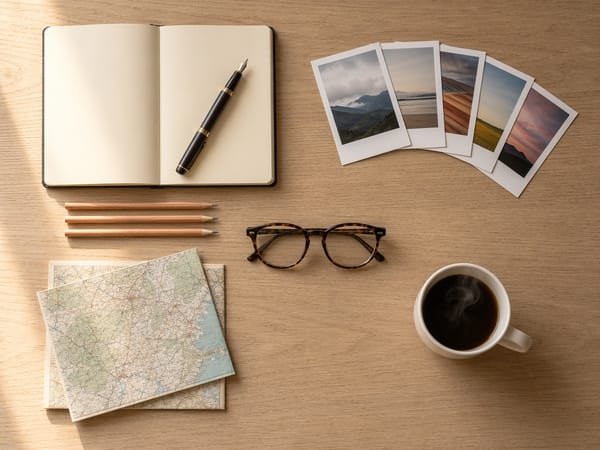
Native Reasoning Before Rendering ("Thinking Mode")
GPT Image 2 is OpenAI's first image model with built-in thinking capabilities. Before the first pixel is rendered, the model can plan composition, verify object counts, and check spatial constraints. In practice, this cuts the number of regeneration cycles on complex prompts — layouts with specific object placements, grids with labeled content, and multi-element scenes that earlier models would frequently misassemble.
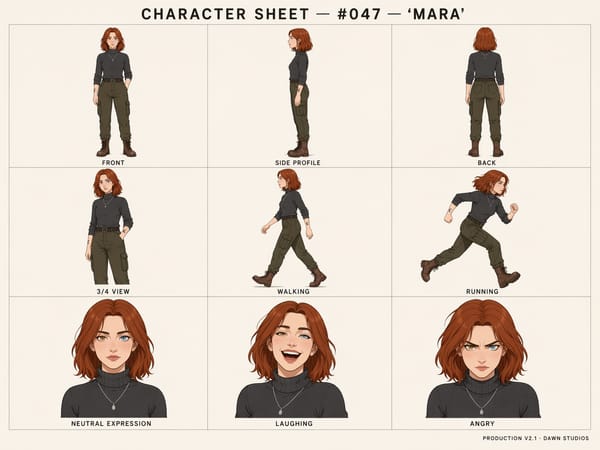
Multi-Image Batch Generation from a Single Prompt
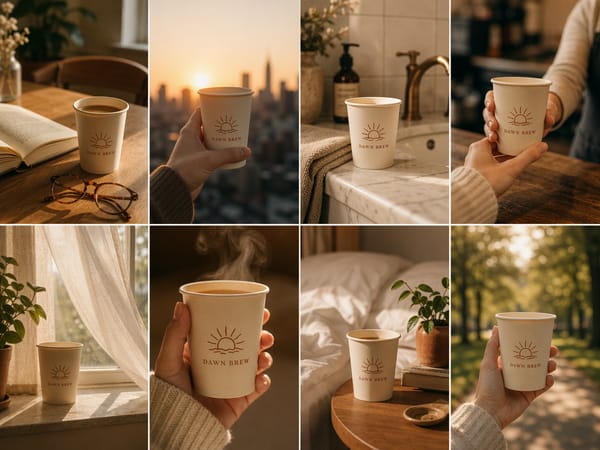
A single prompt can return up to eight coherent image variations, sharing consistent palette, composition, and character identity. This replaces iterative single-generation workflows for designers who need to review options before selecting a direction — and for teams producing variant ad creatives or scene frames for storyboards.
Character and Subject Consistency Across Frames
As of GPT Image 2, the model maintains consistent subject identity — facial features, clothing, hairstyle, and distinguishing details like tattoos — across multiple generated images. This is relevant for storyboard production, character sheets for game development, and any workflow requiring the same person or object to appear across a sequence.
Best Use Cases
Creating Marketing and Ad Creatives with Legible Text
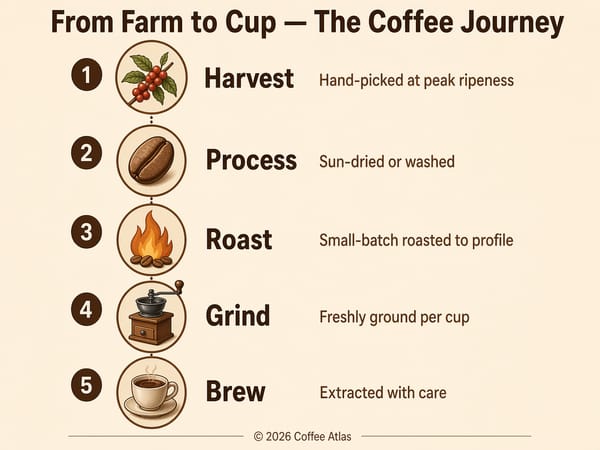
Marketing teams need generated images that include readable product names, CTAs, taglines, and branded text. As of GPT Image 2, these elements render accurately enough to use in production without cleanup. Generate social media posts, promotional flyers, and display ads where the copy is baked into the image — then upscale your output if you need print-ready resolution.
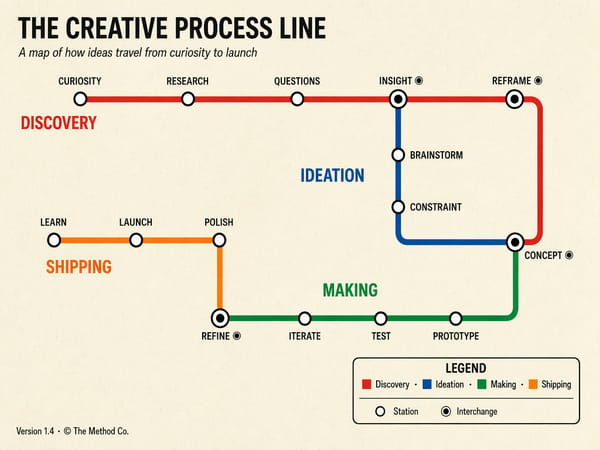
Building Infographics, Diagrams, and Educational Graphics
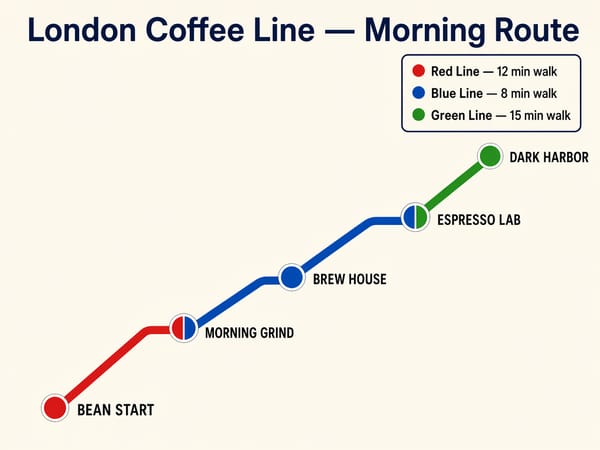
GPT Image 2's combination of reasoning and text accuracy makes it particularly capable for dense visual content: process diagrams, data-driven explainers, comparison charts, and labeled maps. The thinking mode verifies object placement and label accuracy before rendering, which matters when the content needs to be factually correct, not just visually plausible.
Producing Storyboards and Character Sheets
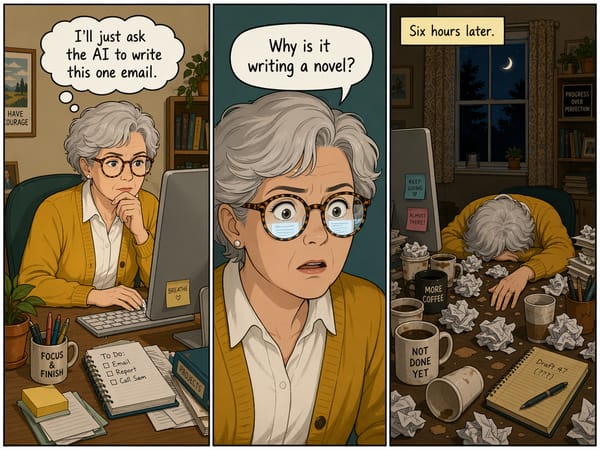
Character consistency across frames is one of GPT Image 2's most practical upgrades for creative production. Generate a full character sheet with multiple poses and expressions using up to 3 reference images, or produce a multi-panel storyboard where the same characters appear consistently throughout. For structured character sheet output, try the character sheet generator as a dedicated starting point.
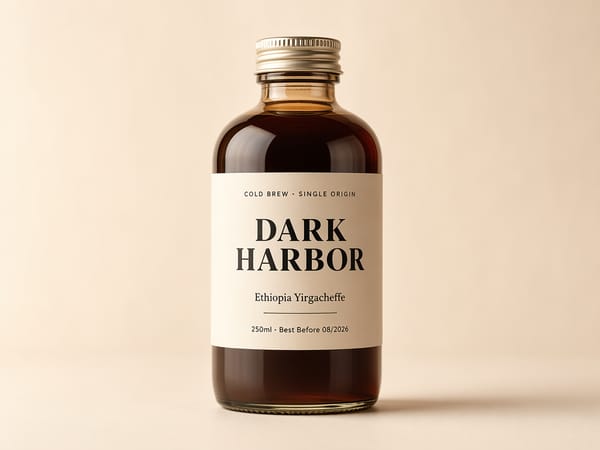
Generating Product Shots and Packaging Mockups
GPT Image 2 handles product photography scenarios well — realistic lighting, surface textures, and label legibility on packaging. Generate pitch-ready cereal boxes, pill bottles, or product labels with accurate nutrition facts and barcodes. For e-commerce workflows, remove the background after generation to prepare the asset for listing use.
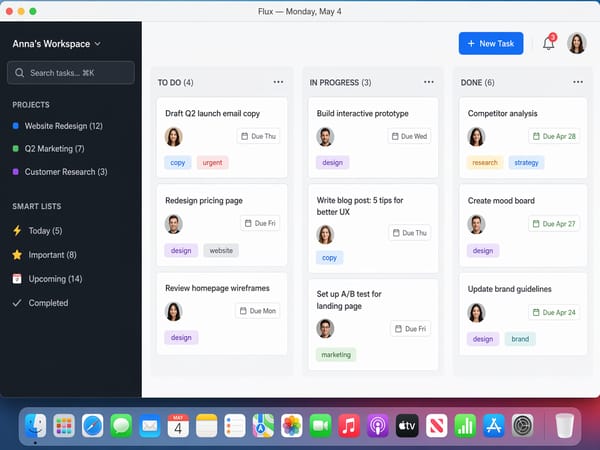
UI Mockups and App Screenshots for Presentations
The model renders realistic application interfaces, web screenshots, and UI components accurately enough for presentation-layer mockups. Font rendering, icon placement, and layout logic are handled by the reasoning layer. This is useful for product managers and developers prototyping visual directions without design tooling.
Prompt Guide
GPT Image 2's thinking mode changes how prompts should be written. The model plans before it renders — which means detailed, specific briefs produce better results than vague stylistic direction.
Text-in-Image Prompts: Be Explicit
Specify font style, size hierarchy, and the exact strings you want rendered. GPT Image 2 handles this accurately but benefits from clear instruction rather than implied text placement.
Event flyer, dark navy background, centered white headline text reading
"DESIGN SUMMIT 2026", subheading below in smaller grey text reading
"April 30 · San Francisco", website URL at the bottom right: "designsummit.co"
Minimal layout, geometric accent shapes.
Describe Structure, Not Just Subject Matter
GPT Image 2 responds well to compositional instructions. Specify where objects should be positioned, what the background contains, and what text needs to appear and where. The reasoning layer interprets spatial constraints that earlier models ignored.
Product shot of a brown kraft paper coffee bag, front-facing, white background,
black text label reading "Single Origin Ethiopia" in a clean sans-serif font,
roast level indicator bar at the bottom showing "Medium", nutrition label on
the back panel partially visible on the right edge. Studio lighting, slight shadow.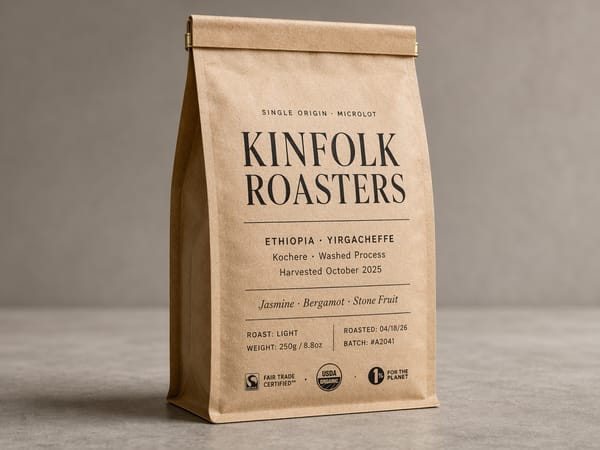
Avoid Asking for "More Realistic" Without Specifics
"More realistic" is not a useful instruction for this model. Instead, describe what realistic means for your use case: lighting type (golden hour, studio, overcast), surface material (matte, glossy, rough), or photographic style (editorial, product photography, documentary).
Activating Thinking Mode for Complex Layouts
For infographics, multi-object scenes, and any prompt requiring counted elements or precise positioning, thinking mode produces more reliable results. On the ChatGPT interface, select the thinking model variant. Via the API, set the thinking flag in your request. Expect longer generation time — typically 1–3 minutes for complex reasoning tasks — in exchange for fewer errors.
GPT Image 2 vs. Nano Banana Pro
| Feature | GPT Image 2 | Gemini 3 Pro Image |
|---|---|---|
| Text rendering in images | Excellent | Strong |
| Reasoning / layout planning | Native | Available |
| Character consistency across frames | Strong | Good |
| Photorealism | Strong | Strong |
| Artistic style range | Good | Good |
| Max resolution | 4K | 4K |
| Multilingual text | Excellent | Strong |
| Instruction following | Excellent | Good |
| Speed (standard mode) | ~30–60 seconds | ~30 seconds |
How to Use ChatGPT Image on Somake AI
Navigate to the ChatGPT Image model page on Somake AI and select GPT Image 2 from the model dropdown.
Choose your quality level — Low, Medium, or High. Low delivers strong results at lower credit cost and is a good starting point for most tasks.
Set your aspect ratio — select from the available presets based on your output format (square, landscape, portrait).
Set image count — generate up to 4 images per request on Somake to review variations before selecting a direction.
Write your prompt — be specific about composition, text content, object placement, and lighting. Detailed prompts perform better with this model.
Upload reference images (optional) — attach up to 3 reference images for edits, style transfers, or character consistency across generations.
Generate — standard mode takes 30–60 seconds.
Note: Some model-native features — including thinking mode, batch generation beyond 4 images, and 4K experimental output — are not currently available on Somake. Check the ChatGPT Image page on Somake for the current supported parameter set.
Version History
| Version | Release Date | Key Changes |
|---|---|---|
| GPT Image 2 | Apr 2026 | Native reasoning, near-perfect text rendering accuracy, character consistency across frames, multilingual text (CJK, Hindi, Bengali), up to 4K resolution, eliminated yellow color cast |
| GPT Image 1.5 | Dec 2025 | 4× faster generation, improved instruction following for edits, better face rendering, improved color accuracy |
| GPT Image 1 Mini | Oct 2025 | Cost-efficient variant of GPT Image 1 |
| GPT Image 1 | Mar 2025 | First native GPT-4o image model; replaced DALL-E as default; conversational editing, strong instruction following |