Text to Image Generator
Transform ideas into stunning visuals. Choose from popular models for illustrations, typography, marketing graphics, and more.
Quick Start: The Component Formula
High-quality generation relies on specificity. A vague prompt yields generic results. A structured prompt yields a masterpiece.
The Universal Formula
Construct your prompt by filling in these four critical slots.
[1. Subject] + [2. Medium] + [3. Context & Lighting] + [4. Technical Modifiers]
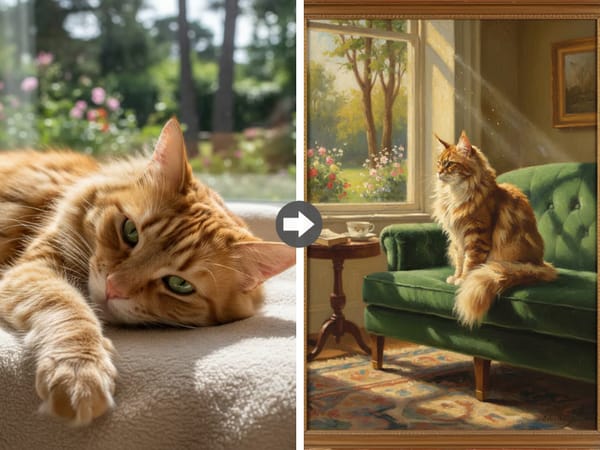
See the Evolution
👎 Beginner: "A cat." (Result: Generic, unpredictable)
👍 Pro: "A maine coon cat (Subject), oil painting style (Medium), sitting on a velvet sofa, sunlight through window (Context), detailed brushstrokes, 8k resolution (Modifiers)."
Pro Workflows
Don't stop at generation. Professional creators combine tools to create market-ready assets.
Workflow A: The "Print-Ready" Pipeline
Goal: Create high-resolution designs suitable for large-format posters or merchandise.
Generate
Create your concept here using the formula above.
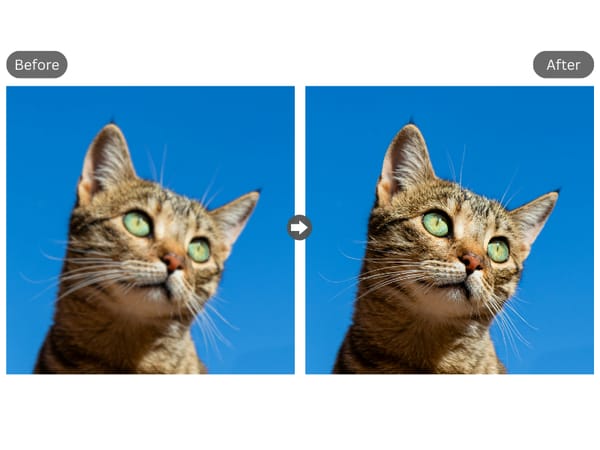
Upscale
Use the Image Upscaler to enhance your result.
Why: Raw AI images are often too low-res for physical media. The Upscaler adds pixel density and enhances details, boosting image quality up to 8K resolution. This ensures your final export is crisp, noise-free, and ready for professional printing.
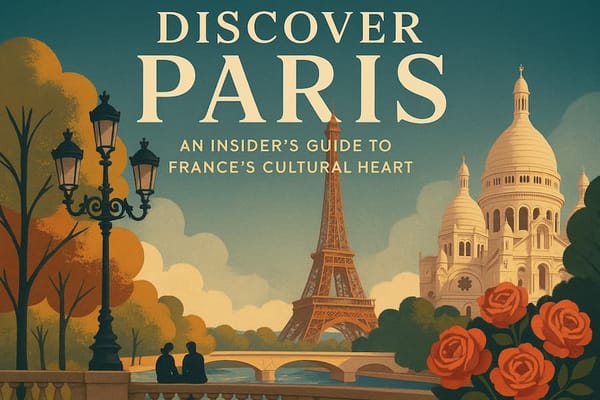
Refine
Use the Text Editor to perfect your typography and layout.
Why: AI can struggle with typography. Use this tool to fix spelling errors, adjust font styles, or add custom headlines to finalize your design.
Workflow B: The "Viral Video" Pipeline
Goal: Transform static concepts into thumb-stopping social media motion clips.
Generate: Create your base asset.
Animate: Go to Video Generator.
Top-Tier Models
| If you need... | Choose this Model | Why? |
|---|---|---|
| Complex Logic & Layouts | Nano Banana Pro | Best for spatial reasoning and long, complex prompts. |
| E-Commerce & Products | Seedream 4.5 | Best for consistent branding and editing with scribbles. |
| Easy Editing via Chat | GPT Image 1.5 | Best for beginners and changing details through conversation. |
| Artistic & Cinematic Photos | Midjourney 7 | Best for beauty, lighting, and "vibes" (less AI-looking). |
| Precise Technical Control | FLUX.2 Max | Best for exact camera angles, hex codes, and JSON control. |
Using different models allows the user to choose the visualization style that best suits the project's goals.
Key Application Areas
1. Designers and Creatives
The tool allows artists, designers, and illustrators to rapidly generate concept art, storyboards, visual compositions, and decorative elements. The generator accelerates the ideation process and helps visualize concepts without the need for manual creation.
2. Marketing and Advertising
Marketers use these systems to generate visuals for ad campaigns, social media posts, and presentations. Using AI reduces the time and cost of visual content production while maintaining a high standard of image quality.
3. Education and Science
Teachers and students employ text-to-image generators to prepare illustrations for lessons, projects, and presentations. The tool helps make educational materials more visual and interactive.
4. Entrepreneurs and Small Businesses
Entrepreneurs can quickly create logos, packaging prototypes, ad designs, and website graphics. This is especially useful for startups and companies with limited budgets.
Why Choose Somake
Simple Interface
No design skills required—just type and create.
Privacy Focused
Your prompts and images remain secure and private.
Flexible Usage
Generate images for personal projects or commercial use with clear licensing.