The 5 Best Hotpot AI Alternatives for Better AI Design in 2026
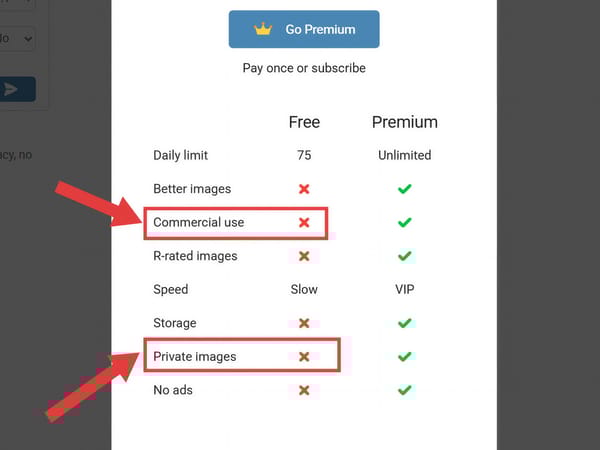
Let’s be honest: Hotpot AI used to be the go-to tab you kept open for quick background removals or simple AI art. But recently, you’ve probably hit the wall.
You spend time tweaking the perfect prompt, only to realize the high-res version is locked behind a Premium paywall. Or worse, you discover your 'free' generations aren't legally yours for commercial use.
As a design team, we got tired of fighting our tools and counting credits. We spent 3 weeks testing over 15 AI generators to find platforms that don't hold your workflow hostage. Here are the 5 best Hotpot AI alternatives in 2026—starting with the ones that actually give you commercial rights by default.
TL;DR: Somake AI vs. Hotpot AI at a Glance
| Core Features | Hotpot AI | Somake AI |
|---|---|---|
| Quick Basic Edits | ✅ Yes | ✅ Yes |
| Premium Image Quality | ❌ Paywalled (Extra Cost) | ✅ Unlocked for Everyone |
| Commercial License | ❌ Premium Only | ✅ Included by Default |
| Workspace UI | ⚠️ Cluttered & Dated | ✅ Clean & Frictionless |
| AI Video Generation | ❌ No | ✅ Built-in |
How We Tested: We evaluated 15 tools by generating 50 identical prompts across all platforms, measuring cost-per-image, resolution output, and reading the fine print on commercial licensing.
The Top 5 Alternatives:
Somake AI: Best overall. Generous allowances, built-in video generation, commercial rights, and top-tier quality by default.
Canva (Magic Studio): Best for template-based social media graphics.
Midjourney: Best for advanced users needing strictly high-end artistic generation.
Fotor: Best for users who primarily need traditional photo editing with light AI features.
NightCafe Creator: Best for community-driven AI art experimentation.
1. Somake AI
Somake AI is built from the ground up to offer an uncompromising, professional-grade AI design experience—without the hidden quality downgrades or steep learning curve. Every single Somake subscription includes watermark-free outputs, privacy, and full commercial licenses by default.
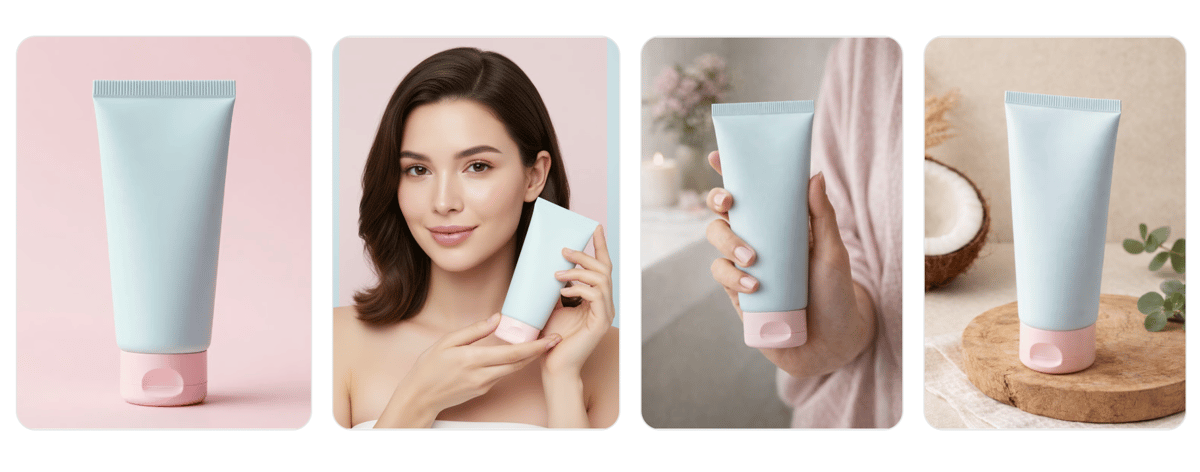
High-quality product photography generated entirely within Somake AI.
✅ Pros:
Built-in Commercial Rights: No extra fees. Every tier gets watermark-free downloads and commercial licensing.
Image & Video Generation: Easily generate hundreds of high-quality images or dozens of videos a month.
Frictionless UI: A clean workspace that keeps tools organized and your workflow fast.
❌ Cons:
Digital-First Focus: Optimized for web and digital assets. It lacks native CMYK color exports for complex physical printing.
Streamlined Tools: Built for speed and ease, meaning it misses the complex, node-based controls preferred by hardcore AI tinkerers.
👉 Start generating for free with Somake AI.
2. Canva (Magic Studio)
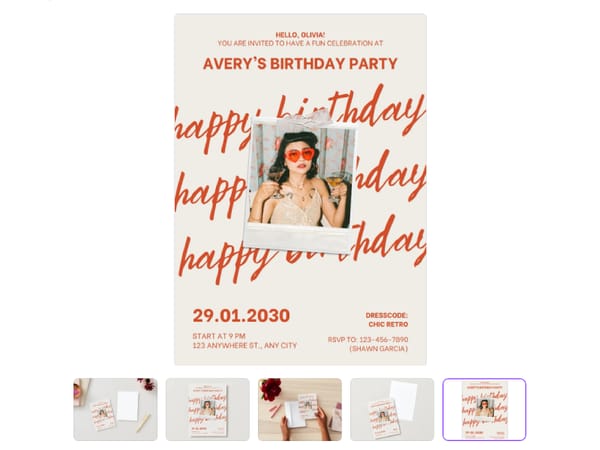
Canva is the heavyweight champion of easy graphic design. With Magic Studio, they’ve integrated AI directly into their massive library of templates. If your primary use case for Hotpot was throwing together quick social media posts, this is a natural step up.
✅ Pros:
Millions of pre-made templates and stock assets.
Excellent team collaboration and sharing features.
❌ Cons:
The AI capabilities act as a sidekick to the templates.
3. Midjourney
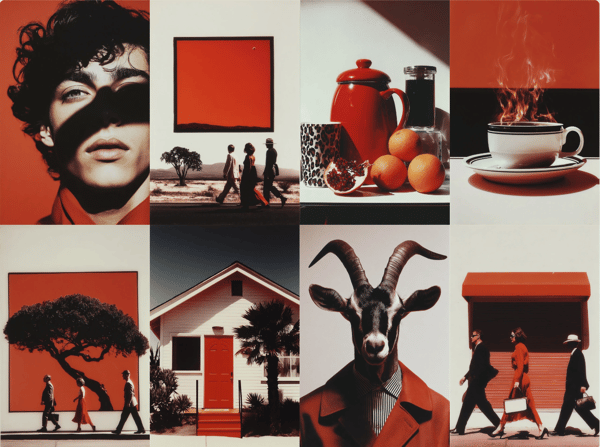
The industry leader for artistic quality, now with a web interface—but strictly paid.
✅ Pros:
Unmatched Artistry: Top-tier artistic quality and photorealism.
Active Ecosystem: Massive community gallery for inspiration.
❌ Cons:
No Free Trial: You must pay at least $10/month just to generate your first image.
Style Bias: Defaults to hyper-stylized "fantasy", often unfit for clean corporate branding.
Verdict: Great for art, but risky if you just want to try it out. Start for free with Somake AI instead.
4. Fotor
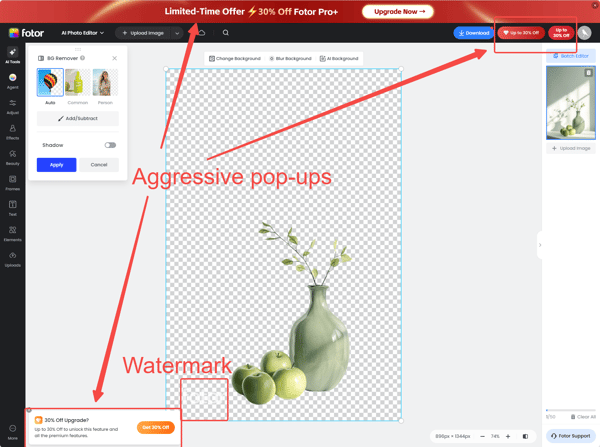
Fotor started as an online photo editor and has steadily bolted on AI features. It’s a capable tool if you primarily need to touch up existing photos and occasionally generate an AI avatar or object.
✅ Pros:
Classic Editing: Fantastic suite of classic photo editing tools (contrast, blemish removal, etc.).
Familiar Layout: Intuitive workspace similar to lightweight Adobe products.
❌ Cons:
Aggressive Upsells: Heavy paywalls and pop-ups on the free and lower-tier versions.
Limited AI Control: AI generation lacks the granular control needed for professional asset creation.
5. NightCafe Creator
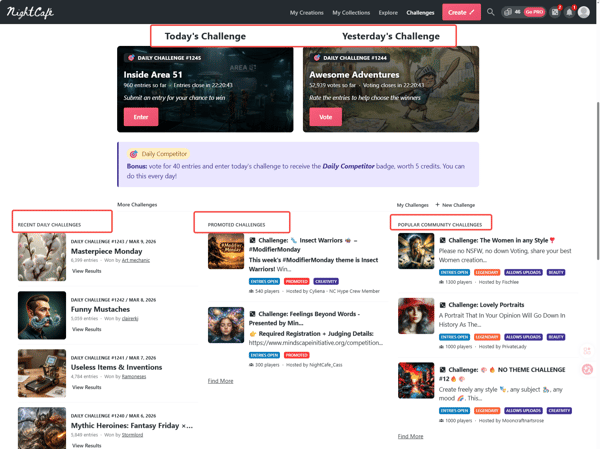
NightCafe is a popular alternative for hobbyists who want to experiment with different AI models in one dashboard. It features a gamified, community-driven ecosystem.
✅ Pros:
Model Variety: Access to multiple AI algorithms (Stable Diffusion, DALL-E, etc.) in one place.
Gamified Experience: Great community features and daily art challenges.
❌ Cons:
Art-Focused Only: Strictly an art generator; lacks practical graphic design and layout utilities.
FAQs

Ready to Upgrade Your AI Design Workflow?
Stop paying extra for basic commercial rights and high-res downloads.