ChatGPT Image
Create stunning AI images with ChatGPT Image. Fast generation, precise editing, and excellent text rendering. Try free on Somake.
What is ChatGPT Image
ChatGPT Image is OpenAI's family of AI image generation models that transform text descriptions into high-quality visuals. Built on multimodal GPT architecture, these models combine the conversational intelligence of ChatGPT with advanced image synthesis capabilities.
On Somake, you can access the latest ChatGPT Image models to create, edit, and transform images for marketing, social media, product photography, and creative projects—all through simple text prompts.
Current Version: GPT Image 1.5 (December 2025)
Model Specifications
| Feature | Specification |
|---|---|
| Developer | OpenAI |
| Current Version | GPT Image 1.5 |
| License | Commercial Use Allowed |
| Generation Speed | ~30 seconds per image |
| Credit Cost | 5 (Low) / 10 (Medium) / 40 (High) |
| Text Rendering | Supports small fonts, mixed styles, and highlighted keywords |
| Style Versatility | Photorealism, illustrations, artistic styles, preset filters |
| Max Resolution | 1K |
| Content Flexibility | Less restrictive than previous versions |
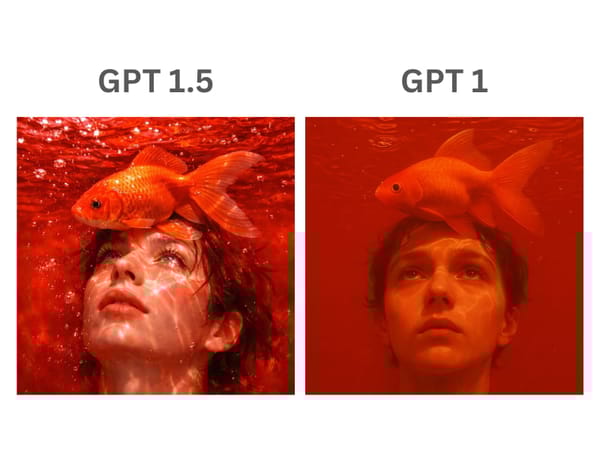
What's New in GPT Image 1.5
Perhaps most notably, material rendering has been significantly enhanced. Details like eye corrections, fabric textures, and surface gloss now appear more believable.
The common yellow tint that plagued earlier outputs has been eliminated, resulting in more natural color reproduction.
Key Features
Precision Editing with Background Preservation
ChatGPT Image excels at preserving original image details while selectively modifying specified elements. When adding objects—such as people in the background—the model maintains background integrity, original colors, and overlapping elements with natural blending. Unlike prior versions that sometimes altered skin tones or background elements unintentionally, GPT Image 1.5 keeps non-targeted areas completely intact.
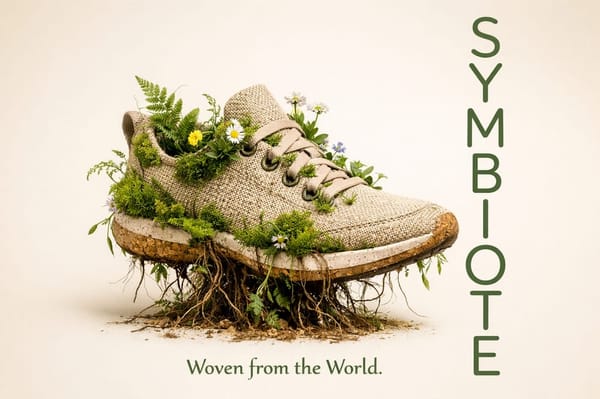
Advanced Text Rendering
Text rendering supports small fonts and multiple styles flawlessly. The model handles complex typography including highlighted keywords, mixed font sizes, and detailed labels.
This makes it ideal for creating marketing materials and product imagery with readable text—though some imperfections may still occur with complex branding elements.
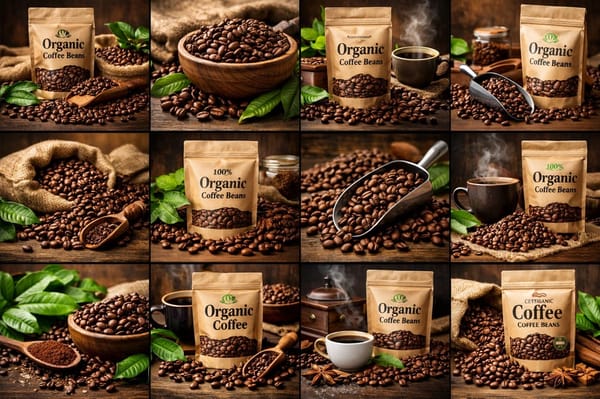
Complex Multi-Step Instruction Following
ChatGPT Image can execute detailed, multi-step instructions with high precision. The model renders complex arrangements—such as grids with specific content in exact positions—accurately.
Where older models produced partial or incorrectly formed results, the current version maintains alignment and completes complex tasks as instructed.
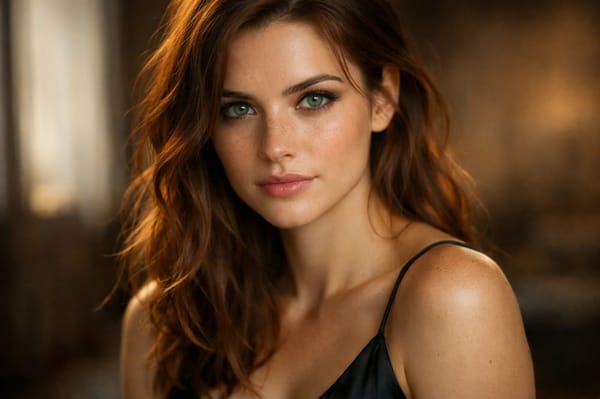
Photorealistic Face Rendering
Significant enhancements address the rendering of multiple faces with high fidelity. Outputs appear more natural and realistic, with reduced artifacts and misalignments—especially in crowded scenes. The improvement is particularly evident in urban street scenes and group photos.
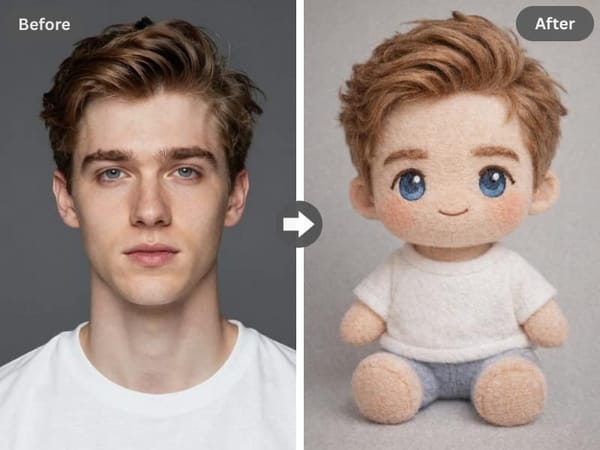
Enhanced Transformation Capabilities
The model delivers strong performance in photo edits, clothing try-ons, hairstyle changes, filters, and conceptual transformations. Style transformations produce high-quality, recognizable results while maintaining the subject's identity and key visual elements.
How to Use ChatGPT Image on Somake
Select the model – Choose ChatGPT Image from the model dropdown (GPT Image 1.5 is the current default)
Set quality level – Pick Low, Medium, or High based on your needs and credit budget
Choose aspect ratio – Select from preset ratios
Write your prompt – Describe what you want to create in detail
Upload reference image (optional) – For edits or transformations, add your source image
Generate – Click generate and wait approximately 30 seconds for results
Prompt Guide
Writing effective prompts is essential for maximizing results:
Be Specific and Detailed: Clearly define requirements including background color, text style, layout, lighting conditions, and artistic influences. The model responds well to precise instructions.
Provide Context: Explain the purpose of your image—whether for social media, marketing, or personal projects. Context helps the model tailor outputs appropriately.
Specify Technical Requirements: Include hex color codes, and font preferences when precision matters.
Iterate Through Conversation: Request specific modifications while indicating which elements should remain unchanged.
Prompting Templates
Marketing Materials
"Design a [document type] for a [business type] named [name]. Style: [modern/vintage/minimal]. Include [headline text] in [font style] with [color]. Background should be [description]."
Product Photography
"Product shot of [item] on [background]. Perspective: [angle]. Lighting: [soft/dramatic/natural]. Show [specific details]. Material finish: [matte/glossy/textured]."
Photorealistic Portrait
"Professional photograph of [subject description], [lighting type] lighting, [environment], [expression/mood], [attire]. Camera angle: [specification]. Style: [editorial/candid/corporate]."
Style Transformation
"Transform this photo into [style: oil painting/anime/vintage film/pencil sketch]. Preserve the subject's [features to keep]. Emphasize [artistic elements]."
Use Cases
Marketing and Social Media
Create Instagram-ready photos, social media graphics, and promotional materials with precise text placement. The model handles flyer creation with accurate text generation, making it ideal for businesses needing quick turnaround.
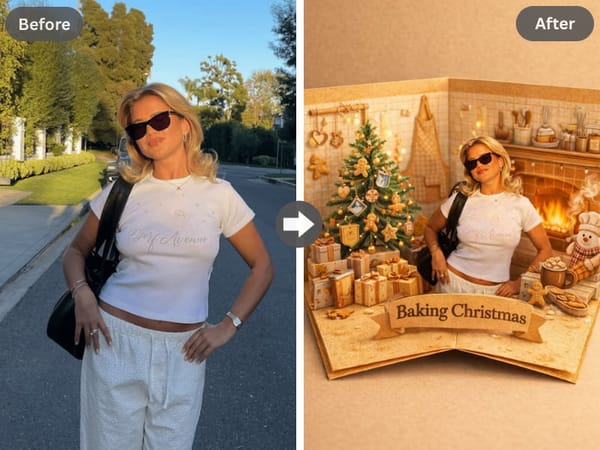
Greeting Cards and Holidays
Use preset templates and styles to generate personalized greeting cards, holiday imagery, and celebration graphics. The dedicated interface makes seasonal content creation accessible to users without design experience.
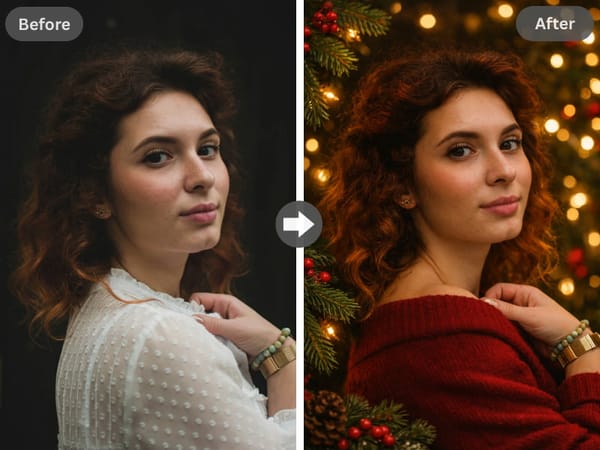
Personal Photo Enhancement
Add or remove objects and people while maintaining image integrity. Try different hairstyles, clothing options, or filters on existing photos with results that preserve your original image's quality and consistency.
GPT Image 1.5 VS Nano Banana Pro
| Feature | GPT Image 1.5 | Nano Banana Pro |
|---|---|---|
| Artistic Style | Strong | Good |
| Text Rendering | Good | Excellent |
| Instruction Following | Good | Good |
| Spatial Edits | Good | Excellent |
| Conversational Iteration | Excellent | Good |
| Edit Precision | Good | Excellent |
| Photorealism | Good | Strong |
| Speed | ~30 seconds | ~60 seconds |
Google Gemini's Nano Banana models demonstrate particular strength with spatial edits. ChatGPT Image distinguishes itself through superior instruction following and conversational iteration, making refinement more intuitive.
Troubleshooting Common Issues
Text appears incorrect or garbled
Use common fonts and verify spelling in your prompt. For critical text, generate at larger sizes and verify accuracy before finalizing. If you need to add or correct text after generation, use our AI Text Editor to make precise adjustments without regenerating the entire image.
Multiple faces look inconsistent when editing
The model has difficulty maintaining exact identity of many people when editing group photos. Focus edits on single subjects for best results.
Background changes unexpectedly during edits
Be explicit about what should remain unchanged. Use phrases like "keep the background exactly as is" or "modify only the [specific element]."
Colors or skin tones shift during editing
Specify color preservation in your prompt. Reference original colors by description or hex codes when requesting modifications.
Known Limitations
| Limitation | Description |
|---|---|
| Multiple Faces Editing | Difficulty maintaining exact identity when editing across many people |
| Multilingual Text | Challenges with Chinese, Arabic, Hebrew, and some other languages |
| Branding Replication | Product labels and logos may not render perfectly |
| Conceptual Fidelity | Occasional inaccuracies in complex conceptual arrangements |
These limitations represent areas of ongoing improvement and are reasonable given the model's complexity.
Version History
| Version | Release | Key Improvements |
|---|---|---|
| GPT Image 1.5 | Dec 2025 | Faster, improved text rendering, better face quality, less restrictive content policies |
| GPT Image 1 | Mar 2025 | First GPT-4o multimodal image model, conversational editing |
Why Choose Somake
Access Multiple AI Models in One Place
Compare ChatGPT Image with Midjourney, Gemini, and other leading generators without managing separate accounts.
Unified Creative Workflow
Somake is more than an image generator. It's a creative hub. Move seamlessly from generating an image to enhancing it or incorporating it into a video project, all without leaving the platform.
Optimized for Every Skill Level
Whether you're a design professional or creating your first AI image, our streamlined interface and prompt assistance help you achieve professional results quickly.