Blur Image
The AI blur image tool handles faces, license plates, text, and backgrounds in one pass. Gaussian, motion, radial, lens blur, and pixelate.


AI Blur Image Tool: Blur Any Photo Online in Seconds
Need to hide a face, license plate, or sensitive text — or just want a clean, soft background behind your subject? This AI blur image tool handles both, from one-click privacy blurs to bokeh-style depth-of-field, all in your browser.
How to Use
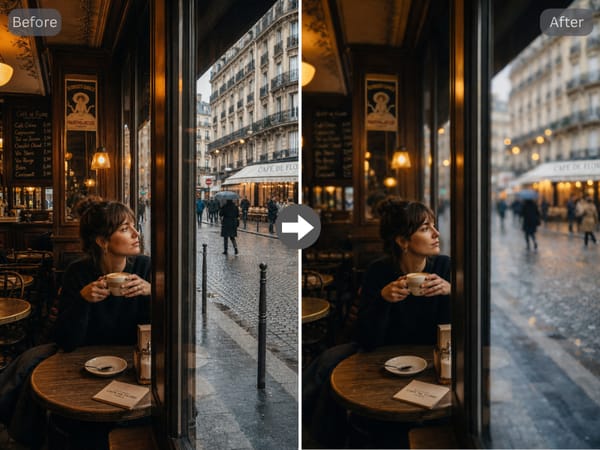
Upload the photo you want to blur and describe what you want softened — a background, faces, text, or a specific region.
Pick a blur type that matches the look you want: gaussian for soft, motion for a sense of speed, pixelate for full censorship, lens blur for bokeh.
Set the intensity from a barely-there haze to fully obscured, and choose whether the edges should feather softly or cut hard.
Generate, review, and download. Re-run with a different setting if the first result isn't quite there.
Key Features
Auto-Detect Faces, Text, and Plates
Set the target to faces, text, or license plates in your prompt, and the tool focuses the blur precisely on that element. Works across group shots, screenshots, and any image with multiple sensitive areas.
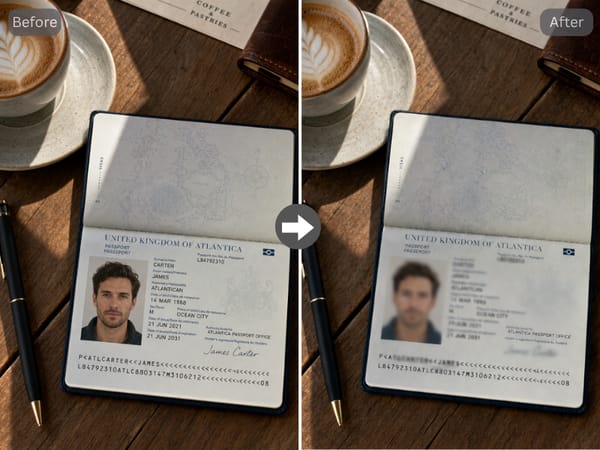
Multiple Blur Algorithms
Gaussian, motion, radial, box, pixelate, lens blur, and frosted glass — each produces a distinct result. The same photo can read as a privacy redaction, a moving subject, or a portrait with shallow depth of field depending on which you pick.
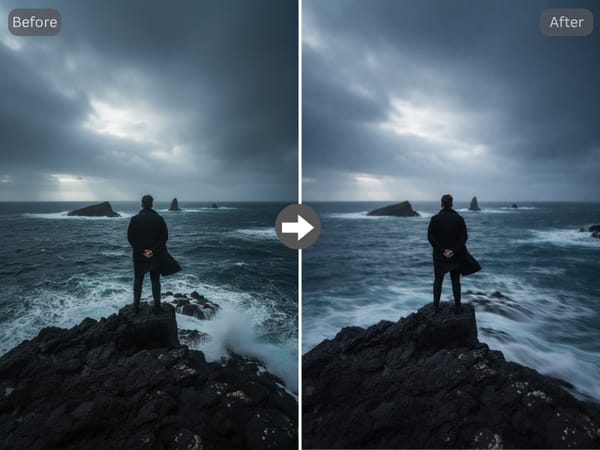
Preserve Sharp Subjects
When you blur the background of an image, the subject sometimes gets caught at the edges. Lock in faces, products, or your main subject and the AI leaves them sharp.
Use Cases
Privacy and Compliance
Blur faces in a group photo before posting it publicly, redact text in a screenshot, or pixelate a license plate in a photo. The tool handles the common cases — faces, plates, names, addresses — without you having to mask each by hand.
Photography and Portraits
Add bokeh-style background blur to a portrait that was shot with too much depth of field, or apply motion blur to suggest movement behind a stationary subject. Once the still image looks right, you can animate it to add real motion.
Product and E-commerce
Clean up a busy background behind a product shot without re-staging the photo. A gaussian blur with the product locked sharp turns a kitchen-counter snapshot into something usable for a listing or ad. To cut the background out entirely instead, pair it with Somake's background remover.
Why Somake
No Software Install
The blur image tool runs in your browser — no downloads, no plugins.
Iterate Without Penalty
Re-run with a new blur type or intensity until the result reads the way you want.
Built for the Full Workflow
Blur, retouch, and animate in one platform — no jumping between tools.