Somake
Toggle sidebar
Upgrade

Nano Banana

Learn about Google's latest AI image generation model, Nano Banana 2 (Gemini 3 pro).

Examples
Example Result 1
Example Result 2
Example Result 3
Model
Nano Banana Pro icon
Nano Banana Pro

Google's new state-of-the-art image generation and editing model

30s
30
Nano Banana icon
Nano Banana

From Google, consistent characters and total scene control

15s
10
Input Image
Prompt
Improve and optimize your current prompt using AI.
For better results, enable this option to translate your prompt to English.
Upload an image to get AI-generated description for your prompt.
/ 2000
Aspect Ratio
Auto
1:1
2:3
3:4
4:5
9:16
3:2
4:3
5:4
16:9
21:9
Resolution
1K
2K
4K
Number of Images
1
2
3
4
Private Mode

After enabling this feature, every image or video you generate will not be automatically shared to the community feed

No history found

What is Nano Banana Pro?

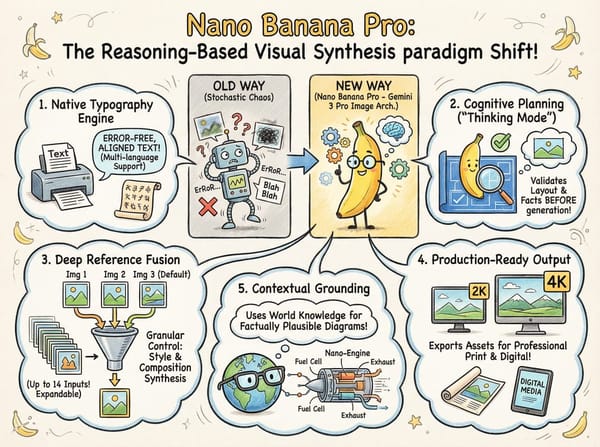
Nano Banana Pro serves as the commercial designation for the Gemini 3 Pro Image architecture. Released in late 2025, this model represents a paradigm shift from traditional stochastic image generation to a "reasoning-based" visual synthesis.

By integrating a cognitive planning phase prior to pixel rendering, the model overcomes historical limitations in spatial logic and typography. It is engineered specifically for enterprise-grade tasks requiring high fidelity, strict adherence to complex instructions, and seamless integration of text within visual media.

Key Capabilities at a Glance

  • Native Typography Engine: Renders error-free, strictly aligned text in multiple languages without post-processing.

  • Cognitive Planning: Employs a "Thinking Mode" to validate layout logic and factual accuracy before generation begins.

  • Deep Reference Fusion: Ingests and synthesizes up to 14 distinct image inputs (Default: 3 images on Somake. Expandable via Support) for granular control over style and composition.

  • Production-Ready Output: Natively exports assets in 2K and 4K resolutions suitable for professional print and digital media.

  • Contextual Grounding: Leverages broad world knowledge to construct factually plausible diagrams and technical illustrations.

Key Features

Feature image

Precision Text & Multilingual Support

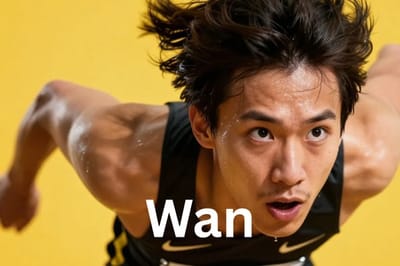
Unlike legacy models that treat text as visual noise, Nano Banana Pro understands glyphs and syntax. It can accurately reproduce long paragraphs, complex headlines, and non-Latin scripts, making it the premier choice for generating localized marketing materials and data-rich posters.

Feature image

Character & Style Consistency

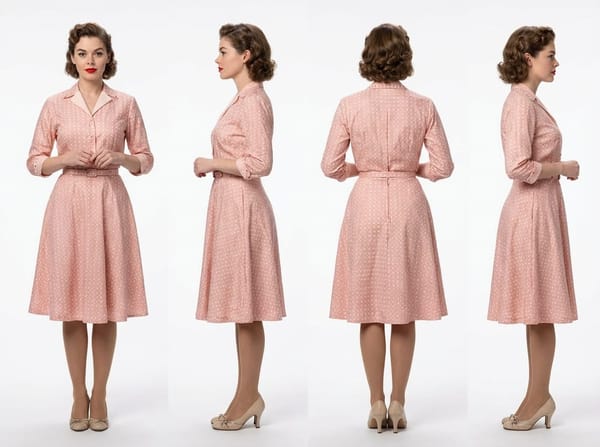
A robust reference system tracks subject identity across generations. Analyzing up to 14 inputs, it maintains consistent facial features for up to 5 subjects and stylistic uniformity—perfect for storyboarding and mascots.

Prompt: "a 360 turnaround view of this character, they are standing against a white background."

Feature image

Logic-Driven Composition

A "Thinking" phase enables the model to reason and plan spatial relationships rather than guess. This ensures logically sound infographics, correct anatomical proportions, and accurate label placement in technical charts.

Prompt: "Make an infographic that explains how the headphnoes work.”

Studio-Grade Controls

Designed for professional workflows, the model offers granular control over camera angles (e.g., 35mm lens look), lighting setups (e.g., rim light, soft key light), and color grading. It also supports local area edits and inpainting without losing the context of the original image.

How Does Nano Banana Pro Compare with Nano Banana?

Feature

Nano Banana

Nano Banana Pro

Architecture 

Fast-inference pipeline (Prompt → Image).

Reasoning pipeline (Prompt → Plan → Image).

Best For

Rapid ideation, storyboarding, social media drafts.

Final production, complex layouts, typography.

Speed

Optimized for speed and high iteration volume.

Slower latency due to cognitive processing steps.

Text Quality

Basic short text; prone to errors.

High fidelity; handles paragraphs and multilingual scripts.

Reference Images

Limited reference inputs.

Supports up to 14 reference images.

Prompt Guide

To leverage the model's reasoning capabilities, prompts must move beyond vague descriptions to structured directives.

Recommended Structure:

  1. Core Objective: Clearly state the asset type (e.g., "A technical diagram").

  2. Visual Specs: Define camera, lighting, and composition (e.g., "Isometric view, flat lighting").

  3. Text Specifications: Explicitly list the text content and font style (e.g., "Text: 'SALE' in Bold Sans-Serif").

  4. Constraints: Define what to avoid or adhere to (e.g., "Maintain brand palette #FF5733").

Master Template:

[Asset Type] of [Subject]. [Composition Details]. [Lighting/Style]. [Text Content]: "[Exact String]" (Font: [Style]).

Advanced Prompting Tricks and Templates

  1. Style Anchoring (Few-Shot)
    Force a specific aesthetic by describing multiple styles and selecting one.
    Prompt logic: "Reference styles: A) Oil Painting, B) Vector Art. Apply Style B to the following data visualization..."

  2. Iterative Editing
    Use the model to refine existing outputs with specific "diff" instructions.
    Prompt logic: "Input: [Image]. Action: Change background to 'Rainy Night'. Constraint: Do not alter the subject's lighting or skin tone."

  3. Data-Driven Visualization
    Ensure accuracy in charts by providing the raw data and explicit label instructions.
    Prompt logic: "Generate a bar chart. X-Axis labels: 'Q1, Q2, Q3'. Y-Axis: 'Revenue'. Data trend: Rising. Style: Corporate minimalist."

Use Cases

Feature image

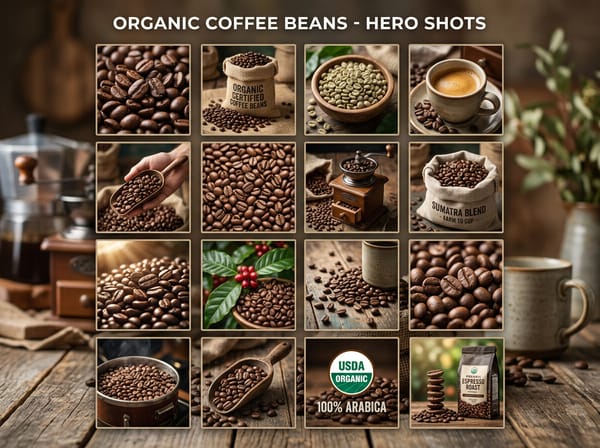
High-Conversion E-Commerce

Generate "Product Hero" shots that place items in idealized environments. The model can render specific SKU names or promotional offers directly onto the product packaging or background signage with perfect legibility.
Feature image

Brand Identity Management

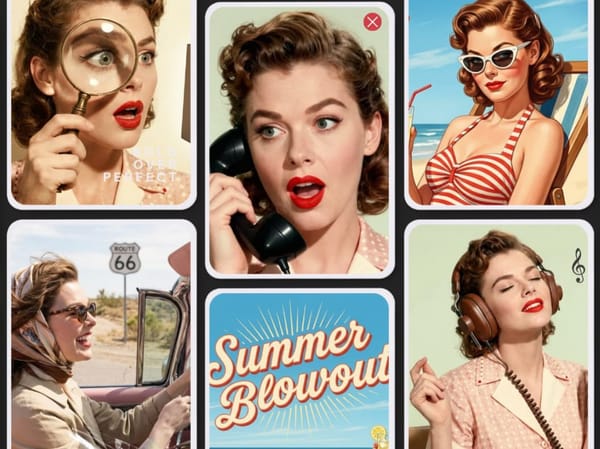
Maintain strict visual consistency across marketing channels. By using reference blending, brands can ensure their mascots or spokespersons appear identical in every generated social media post or banner ad.
Feature image

Educational & Technical Publishing

Create complex, annotated diagrams for textbooks or manuals. The model's ability to understand "labels" allows it to place arrows and text descriptions accurately next to the relevant parts of a machine or biological structure.

Feature image

Digital Restoration & Archiving

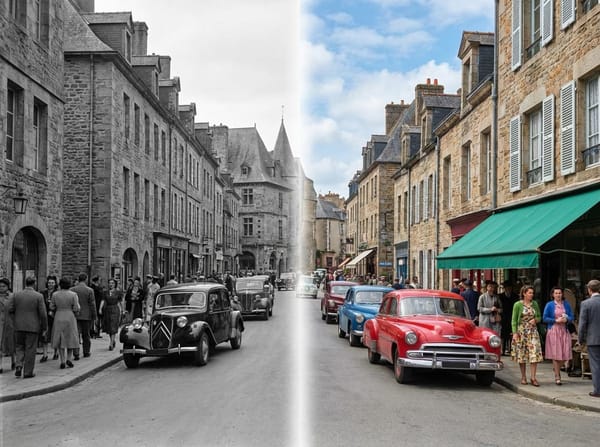
Automate the restoration of historical archives. The model can repair tears, colorize black-and-white photos based on period-accurate color palettes, and sharpen details while respecting the original subject's identity.

Architectural Visualization

Upload rough CAD sketches as reference images and request photorealistic material applications with specific lighting variants for stakeholder reviews.

Ad Campaign Localization

Use a single base prompt for a poster and iteratively replace the text block with localized strings (e.g., Spanish, Japanese) while maintaining the original layout.

Consistent Storyboarding

Define a character using reference images. Generate a 3-panel comic strip where the character performs different actions (running, eating, sleeping) without losing facial identity.

Left Media
Right Media

Common Failure Modes and Fix

  • Text Overflow: If text runs off the edge, specify a "safe zone" or reduce the font size instruction (e.g., "Ensure text fits within the center 50%").

  • Identity Drift: If a character looks different, provide more specific physical descriptors (e.g., "Mole on left cheek, identical facial features").

  • Hallucinated Data: In charts, if numbers are wrong, double-check that the prompt explicitly lists every label. Do not ask the model to "invent" data; provide it.

  • Style Bleed: If the style is inconsistent, use negative prompting to exclude unwanted aesthetics (e.g., "No cartoonish elements, no 3D render look").

Why Pro Designers Are Switching to Somake Today

1

User-Friendly Interface

We strip away the complexity of API management. Just sign in, select the model, and start creating.

2

Enterprise-Grade Stability

We provide a dedicated infrastructure layer that bypasses the congestion and latency often experienced on public free tiers.

3

Uncapped Generation Limits

Remove the friction of daily quotas; Somake empowers power users to iterate freely without hitting arbitrary usage ceilings.

FAQ

No. They are identical. "Nano Banana Pro" is simply the consumer-facing marketing name for the underlying Gemini 3 Pro Image architecture.

To ensure the fastest generation speeds and system stability, Somake currently limits the input to 3 reference images per session.

Need the full 14-image capacity? We can unlock this for enterprise partners. Please contact [email protected] for assistance.

Absolutely. The model is optimized for global scripts, handling diacritics and non-Latin characters with high accuracy.

Yes. The model supports "Instruction-based editing," allowing you to describe changes (e.g., "remove the car") to an uploaded image.

Somake
Forgot Password Create an account Welcome to Somake
Enter your email to receive password reset instructions Enter your email address to create an account. Sign in with Google to claim your credits and start creating for free!
OR
Remember me
Remember your password?
By logging in, you agree to our Terms of Service and Privacy Policy .