Every Standard Dimension You Actually Need
From bumper stickers to product labels — the complete size chart with print and AI specs
The most common sticker size is 3×3 inches. It fits laptops, water bottles, and product packaging without looking out of place on any of them. That's the default — but use the wrong size for your specific surface, and a great design looks cheap or gets ignored.
This guide covers the full sticker size chart by use case and shape, the print resolution numbers you need when designing your own, and the exact platform specs for digital stickers.
The Sticker Size Chart
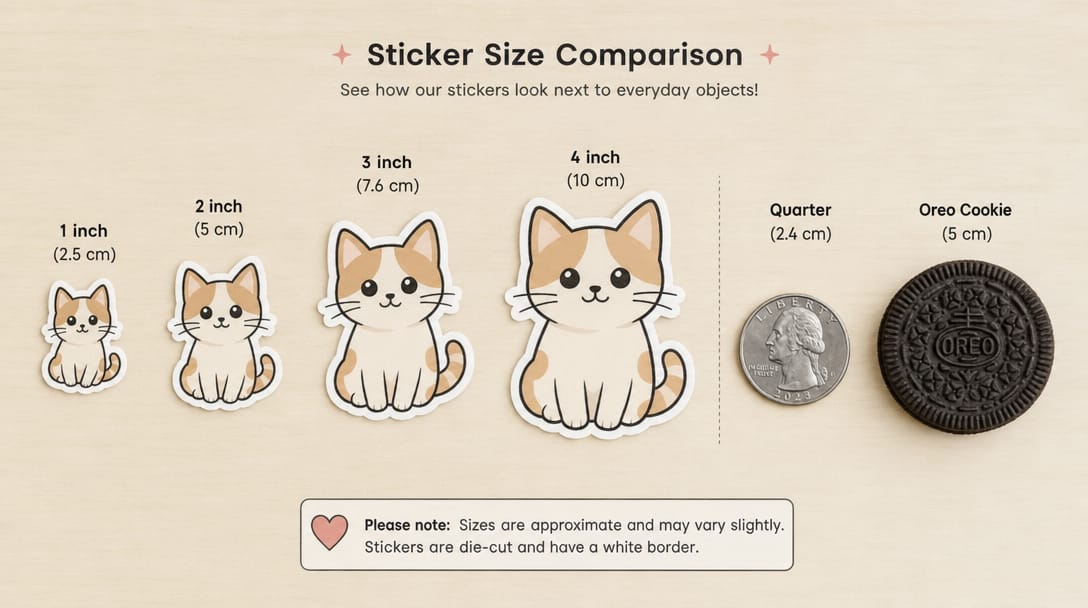
The fastest way to find your size. Measurements in both inches and centimeters. Use this as your first reference before ordering.
| Use Case | Recommended Size (in) | cm | Shape |
|---|---|---|---|
| Product seal / logo dot | 1×1 – 2×2 | 2.5–5 | Circle |
| Phone case | 1.5×1.5 – 2×2 | 3.8–5 | Any |
| Water bottle | 2×3 – 3×4 | 5×7.6 – 7.6×10 | Circle / die-cut |
| Laptop (single hero sticker) | 3×3 – 3×4 | 7.6×7.6 – 7.6×10 | Any |
| Laptop (tiling multiple) | 2×2 | 5×5 | Any |
| Product label (jar / candle) | 2.5×4 – 3×5 | 6.4×10 – 7.6×12.7 | Rectangle / oval |
| Wine bottle label | 3.5×4 | 8.9×10 | Rectangle |
| Packaging seal (box / bag) | 1–2" diameter | 2.5–5 | Circle |
| Bumper sticker (standard) | 11.5×3 | 29×7.6 | Rectangle |
| Bumper sticker (compact) | 8×2.5 | 20×6.4 | Rectangle |
The 3×3 square is the closest thing to a universal sticker size. It's big enough to show detailed artwork, small enough to use on almost any surface without overwhelming it. When in doubt, start here.
Bumper Sticker Size
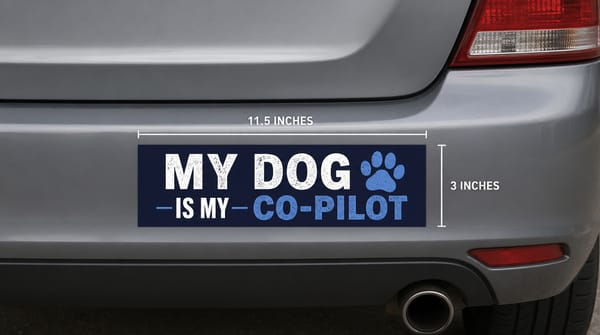
The standard bumper sticker is 11.5×3 inches. That dimension traces back to early screen printing and has stayed consistent because it fits most car bumpers, rear windows, and fenders without adjustment.
Two common alternatives:
8×2.5 inches — compact cars and narrow bumper sections
4×6 inches — the Euro-style oval, popular for country codes and minimal designs
Bumper stickers need vinyl with UV-resistant laminate. Paper won't survive weather, car washes, or direct sun for more than a few weeks.
One design rule matters more than size: readability at distance. A bumper sticker gets read from 10–20 feet away at speed. Bold fonts, high contrast, minimal text. If the design needs fine print to work, the bumper sticker format isn't right for it.
Sticker Sizes by Shape
If you already know your shape but need the right dimensions, here's a quick reference.
Circle stickers
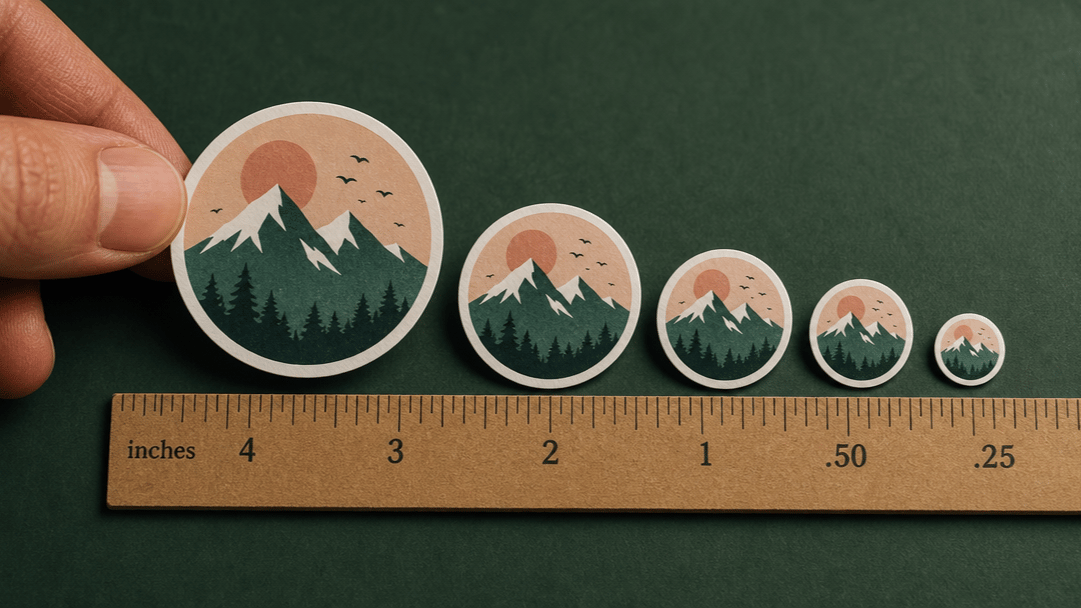
1" — about the size of a quarter. Envelope seals, price tags, tiny logo dots.
2" — about the size of an Oreo. The most popular product label size.
3" — laptop decals, water bottle branding, event giveaways.
5" — bold statement pieces. Helmets, skateboards, large packaging.
Square stickers
2×2 — small enough to tile across a laptop lid. Good for sticker packs.
3×3 — the default all-purpose size. Works on almost everything.
5×5 — detailed artwork, photo stickers, premium packaging inserts.
Rectangle stickers
3.5×2 — business card dimensions. Product packaging, name tags, shopping bags.
3×4 — portrait format. Mascots, tall logos, stacked text.
4×6 — larger labels. Shipping inserts, wine bottles, informational content.
Oval stickers
1.5×2 — small product labels, food packaging accents.
2×3 — brand logos on curved containers. Slightly more visual interest than a circle.
How to Pick the Right Size
Sizing regret almost always traces back to skipping one of these three steps.
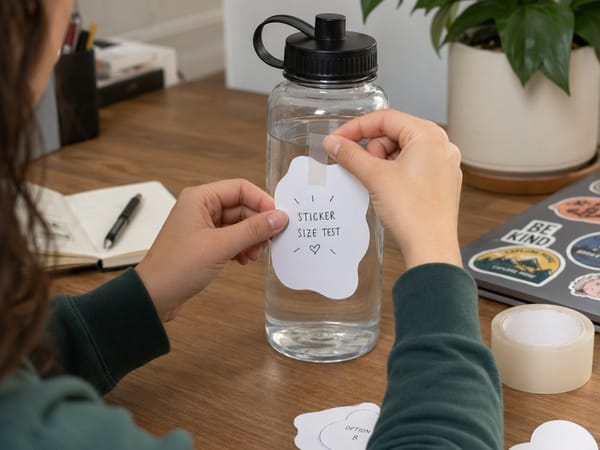
Measure the flat surface
Always measure the surface where the sticker will actually sit — not the total object. On a water bottle, that's the flat panel between the curves, not the full circumference. On a jar, measure the label area and subtract 3–5mm from each edge so the sticker doesn't wrap around and lift.
The test: cut a piece of paper to your intended size and tape it to the object. This takes 30 seconds and prevents the most common source of sizing regret.
Match size to design complexity
Text-heavy designs need more space to stay readable. As a hard rule: don't go below 2 inches if your design includes any text smaller than a headline. Fine lines, thin strokes, and small type all disappear at small sizes. Simple icons and bold wordmarks can go smaller — a 1" circle handles a logo just fine.
Account for curved surfaces
Flat rectangles fight physics on curved surfaces. On water bottles, helmets, and rounded containers, long rectangular stickers tend to lift at the corners over time. Circle stickers and die-cut shapes conform better to curves. If a rectangle is your only option, keep it narrow — wide stickers wrap further around the curve and peel faster.
Print Resolution
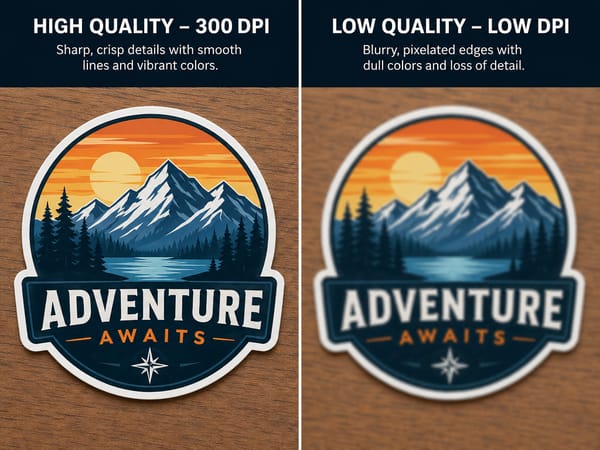
For anyone designing their own stickers before sending to print. Resolution is the difference between a crisp result and a blurry one.
The formula: desired print size (inches) × 300 = minimum pixels needed.
sss
| Print Size | Minimum Resolution | Recommended |
|---|---|---|
| 2 inches | 600×600 px | 800×800 px |
| 3 inches | 900×900 px | 1200×1200 px |
| 4 inches | 1200×1200 px | 1500×1500 px |
| 5 inches | 1500×1500 px | 2000×2000 px |
Start at the highest resolution your tool allows. Somake generates images at 768×1024 by default (3:4 ratio). That's sharp enough for small stickers, but for anything 3 inches or larger, run it through Somake's Image Upscaler first — it scales up to 2K, 4K, or 8K. Upscale before you add outlines or effects, not after.
Two technical details that matter:
Bleed: Leave 3–5mm of design extending beyond the cut line. Without bleed, a slight cutting shift leaves a white edge.
Outline: Die-cut stickers need a clear cut path. Use Somake's Image Outliner to add a clean border around your design — this gives the printer a defined edge to cut along.
For the transparent background required by most print services, run your design through the Background Remover before exporting.
Digital Sticker Sizes
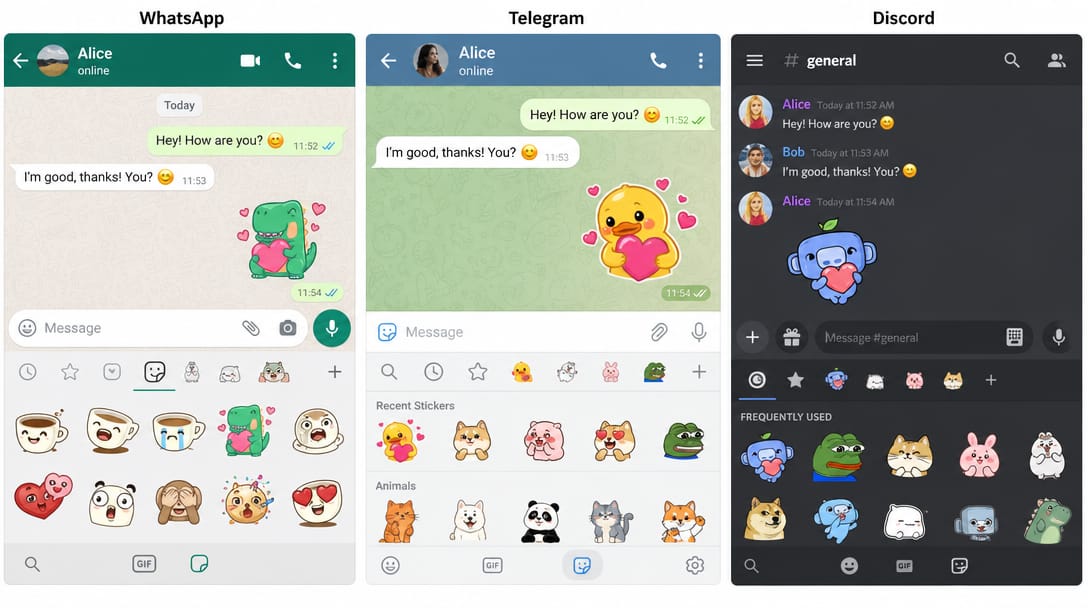
Physical and digital stickers are completely different formats. A file sized for WhatsApp will be rejected by Telegram, and neither works for print without resizing.
| Platform | Size | Format | Max File Size |
|---|---|---|---|
| 512×512 px | WebP (transparent) | 100 KB | |
| Telegram | 512×512 px | PNG or WebP (transparent) | 512 KB |
| Discord emoji | 128×128 px | PNG | 256 KB |
| Discord sticker | 320×320 px | PNG / APNG / Lottie | 500 KB |
| iMessage (Small) | 300×300 px | PNG / APNG / GIF / JPEG | 500 KB |
| iMessage (Regular) | 408×408 px | PNG / APNG / GIF / JPEG | 500 KB |
| iMessage (Large) | 618×618 px | PNG / APNG / GIF / JPEG | 500 KB |
⚠️ Platform specs change. Verify against official documentation before publishing a sticker pack. WhatsApp's 100 KB limit is strict — simple, bold designs optimize far more easily than detailed artwork.
Design square by default. WhatsApp requires square images, and designing square keeps your options open across all platforms. Note that WhatsApp uses WebP format — export your PNG design, then convert to WebP before uploading. If you're creating with Somake's Photo to Sticker tool, use a 1:1 aspect ratio and export at 512×512 for immediate digital use, or 2048×2048 if you also want a print-ready version.
5 Common Sizing Mistakes
1. Ordering from the screen, not from a paper test. A 3×3 sticker looks large on a 27-inch monitor. Taped to an actual water bottle, it's medium at best. Always test at real scale before placing a bulk order.
2. Putting a rectangle on a curved surface. On water bottles, helmets, and rounded containers, rectangle corners are the first thing to lift. Use circles or die-cut shapes on curved surfaces. If a rectangle is necessary, keep it narrow and short.
3. Too much detail at too small a size. Fine lines and small text don't survive the print process below 2 inches. If your design has ingredient lists, small print, or delicate illustration details, size up or simplify.
4. A border that's too thick. A 0.25" white border on a 2×2 sticker takes up a significant portion of the visual area. The sticker reads smaller than its dimensions. Keep borders proportional — or drop them entirely and let the die-cut shape define the edge.
5. Low resolution for a large print size. A 1024×1024 pixel image printed at 5 inches comes out at roughly 200 DPI — below the 300 DPI threshold for sharp print. Check your pixel count before ordering large-format stickers.
For Product Labels
Product labels follow the same sizing logic with one added constraint: regulatory text. Labels for food, cosmetics, and supplements need enough space for required copy to remain readable at small sizes.
For most containers: 2×2 for small jars and tubes, 2.5×4 for candles and mid-size containers, 3.5×4 for bottles. If the label wraps the container completely, measure the full circumference and subtract 0.25" from the width for overlap allowance.
Use Somake's Label Maker to build label designs directly at your target dimensions before exporting to print.
Key Takeaways
3×3 inches is the safest default for most sticker projects. Start here when unsure.
Standard bumper sticker size is 11.5×3 inches. Two alternatives: 8×2.5 (compact) and 4×6 (Euro oval).
Always test with a paper cutout before ordering in bulk. Screens lie; paper doesn't.
For print: 300 DPI minimum. A 3-inch sticker needs at least 900×900 pixels — 1200×1200 is safer.
Digital stickers are a different format entirely. WhatsApp uses 512×512px WebP (<100 KB); Telegram uses 512×512px PNG (<512 KB). Neither works for print without resizing.
Curved surfaces need curved stickers. Rectangles lift at the corners on water bottles and helmets.