Change Sky
Change the sky in any home exterior photo with AI. Pick from 8 sky styles or describe your own. Results in seconds.
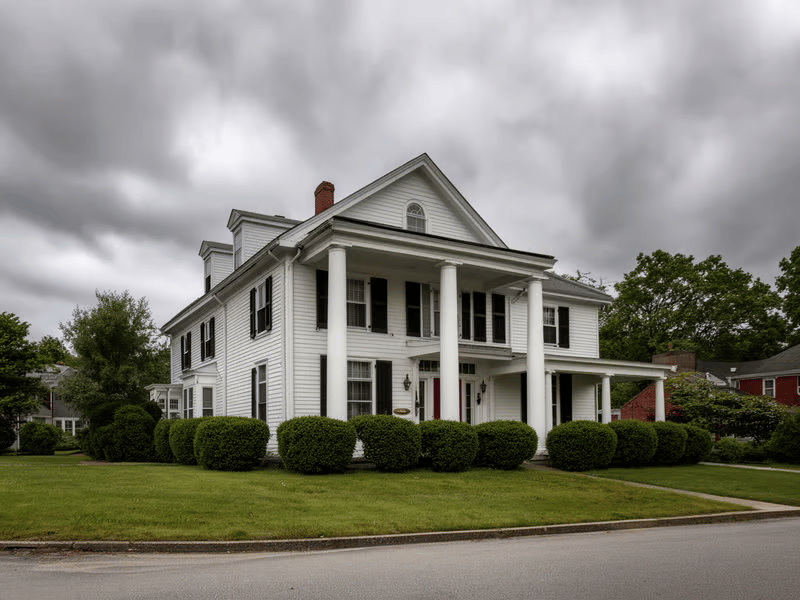

Replace a Flat or Distracting Sky
Change Sky detects the sky automatically, so you do not need to create a mask around the roofline, trees, or building.
What You Can Do With It


Brighten an Exterior Listing Concept
Try Clear Blue Sky or Partly Cloudy for a neutral daytime look. Check rooflines, trees, antennas, and other detailed edges before publishing.
For empty interior listing photos, continue with Virtual Staging.


Compare Different Moods
Generate Clear Blue Sky, Golden Sunset, Morning Mist, or Blue Hour versions of the same photo.


Update an Existing Exterior Photo
Replace an overcast or blown-out sky while keeping the building and foreground as consistent as possible.
How to Use Change Sky
Upload an exterior photo with a visible sky.
Choose one of the 8 Sky Style presets.
Select Custom to describe another sky in text.
Choose Fast or Pro.
Generate and inspect foreground edges and reflections.
If the indoor lighting also needs adjustment, use Lighting Changer.
Available Sky Styles
Clear Blue Sky
Partly Cloudy
Golden Sunrise
Golden Sunset
Morning Mist
White Overcast
After the Rain
Blue Hour
Custom
Key Features
Automatic Sky Detection
Replace the visible sky without drawing a manual selection.
8 Preset Styles
Choose common daylight, weather, sunrise, sunset, and twilight looks.
Custom Descriptions
Describe the time of day, cloud coverage, colors, and mood when the presets do not fit.